If you’re designing a product with backlit controls, such as medical equipment, an industrial controller, or a consumer device, then you’ve likely come across the term “laser-etched silicone keypad.” But what exactly does laser etching mean? How is it done? How does it compare to simpler, cheaper alternatives?
This guide answers all of it.
What Is a Laser Etched Silicone Keypad?

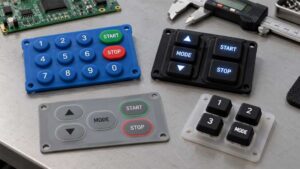
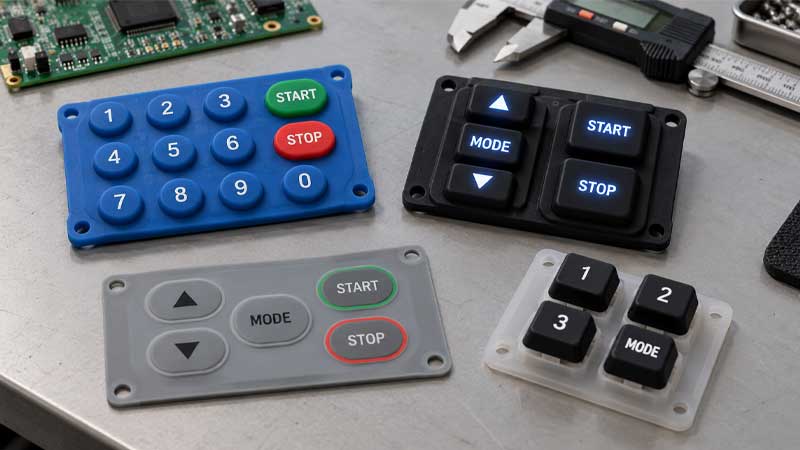
A laser-etched silicone keypad, also known as a laser-engraved silicone keypad, laser-marked rubber keypad, or backlight keymat, is an elastomeric keypad in which the key legends are created by removing ink from the surface using a precision laser instead of printing ink onto it.
This process takes advantage of one of silicone rubber’s most useful optical properties. When molded from high-transparency or translucent-grade silicone, the material naturally transmits light. Applied ink blocks light. By removing ink only at the positions of the characters, the manufacturer creates windows through which LED light shines — and those windows are the letters, numbers, and icons that glow when the device is powered on.
The result is a product that is fundamentally different from a printed keypad. There is no ink sitting on top of the legend. The legend is the absence of ink. This distinction explains the advantages of laser-etched keypads: permanence, precision, and backlight performance.
How Is a Laser Etched Silicone Keypad Made?
Step 1 — Molding the Silicone Base
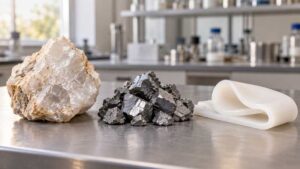
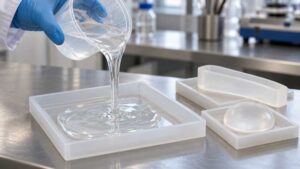
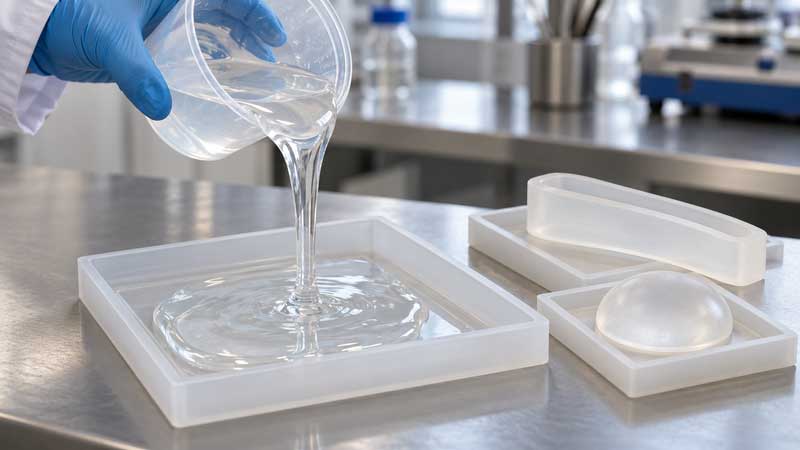
The keypad body is compression-molded (or, for more complex geometries, produced via liquid silicone rubber injection molding) from high-transparency or translucent-grade silicone rubber.
At this stage, it usually goes to a milky white or transparent silicone keypad. This translucency is the foundation of the entire backlight system. If the base silicone is too opaque, no amount of precise laser etching will produce bright, even backlighting.
Step 2 — Applying the Legend Color Layer (Base Coat)
The first ink layer is sprayed onto the clear silicone keypad. This coat determines the color of the glowing legend, which is the color that will be visible through the etched character windows when the LEDs are active.
For example:
- White backlit legends on a black keypad → first coat is white ink
- Red backlit legends on a dark grey keypad → first coat is red ink
- Yellow legends on a black keypad → first coat is yellow ink
This layer must be applied evenly and to a consistent thickness. Thin or patchy application is the most common cause of uneven legend brightness and light leakage defects.
Step 3 — Applying the Background Color Layer (Top Coat)
A second, opaque ink layer is sprayed over the first. This layer determines the visible surface color of the keypad (the color visible when the backlight is off) and, critically, blocks light transmission everywhere except where the laser later removes it.
The background coat is typically a dark, highly opaque color, such as black, dark gray, or navy, because maximum opacity creates maximum contrast between the lit legends and the surrounding surface. A lighter or less opaque background coat produces washed-out backlighting.
Step 4 — Laser Etching the Characters
First, the coated keypad is placed in the laser etching machine. Then, the digital artwork file is loaded. A computer-controlled laser, typically a CO₂ or fiber laser system with submillimeter precision, scans across the keypad surface and burns away only the top ink layer at the legend positions.
The laser does not cut into the silicone. It does not penetrate the legend color layer. It only removes the outermost ink layer, exposing the contrasting color beneath.
Critical quality parameters include laser power, scan speed, and focus distance, which must be precisely calibrated for each specific ink-silicone combination. Too much power can scorch the underlying legend layer or the silicone itself. Too little power leaves a hazy background that dims the backlight and blurs the edges of the legend.
Step 5 — Applying the Protective Topcoat
After laser etching, a protective coating is applied over the entire keypad surface. This coating serves several functions:
- Protects the etched legends from abrasion, oils, and chemical exposure
- Seals the ink layers against moisture ingress
- Defines the tactile feel of the keypad surface (gloss, semi-gloss, matte, soft-touch)
- Provides chemical resistance for industrial and medical applications

Multi-Color Laser Etched Legends: How It Works
Multi-color laser etching requires a sophisticated “layering and masking” technique to manage different backlit colors on the same keypad().
Example: Red and White Legends on a Black Keypad
- Masking: We cover all keys except those intended for red legends.
- Red Spray: Apply the red base layer.
- White Spray: Mask the red keys and apply white ink to the rest.
- Final Coat: Spray the entire surface with black opaque ink.
- Etching: The laser reveals the specific color hidden under each key.
Design Tips for Multi-Color Specifications
- Keep it practical: Every additional color layer adds cost, process time, and a potential quality variable (masking registration accuracy). Unless your design genuinely requires color-coded legends for functional or safety reasons, two-color designs (one legend color, one background) deliver the best quality-to-cost ratio.
- Communicate early: The feasibility of a multicolored design and the optimal ink layer sequence depend on the specific colors chosen and their relative opacity. Share your design file with your supplier’s engineering team before tooling begins. Re-sequencing the ink layers after tooling is costly.
- File format: Always supply vector artwork (AI, EPS, or DXF) for laser etching. Raster images (JPG, PNG) introduce resolution limitations that result in jagged legend edges. Minimum 300 DPI if raster files are unavoidable.
Key Benefits of Laser Etched Silicone Keypads
Superior LED Backlighting Performance
This is the primary reason laser etching exists. No other silicone keypad manufacturing method delivers equivalent backlight performance.
Exceptional Legend Durability — No Fading, No Peeling
A laser-etched legend is a hole in an ink layer, so there is no ink at the character position that can wear away. Thus, they outlast printed legends, resisting wear in high-touch applications.
High Precision for Complex and Dense Designs
Laser etching enables:
- small fonts
- dense key layouts
- detailed icons
Moisture and Environmental Resistance
Silicone rubber is naturally water-resistant. When combined with a sealed topcoat of polyurethane (PU) or epoxy, laser-etched silicone keypads can be designed as sealed interfaces with an IP65, IP67, or IP68 rating, which protects the underlying electronics from water, dust, and contaminants.
Flexible Surface Compatibility — Flat, Curved, and Irregular
Etches on non-flat surfaces without distortion, suiting ergonomic designs unlike screen printing, with limitations of the surface required for printing legends.
Fast Design Iteration — No New Tooling for Artwork Changes
If only the legend artwork changes, manufacturers can update the laser program without modifying the mold. This reduces prototyping cost and lead time.
Laser Etching vs. Screen Printing: Which Is Right for Your Keypad?
Both laser etching and screen printing are widely used production methods for silicone keypads. The right choice is determined by your application requirements.
| Factor | Laser Etching | Screen Printing |
|---|---|---|
| LED Backlight Support | Full — primary use case | Not compatible |
| Legend Durability | Permanent — no surface ink at legend | Moderate — ink wears with use |
| Color Options | Typically 1–3 legend colors | Full color, photographic-quality graphics |
| Legend Precision | Very high — sub-0.15mm lines | Standard — limited by mesh resolution |
| Setup Cost | Low — digital artwork file only | Higher — new screen per color per design |
| Per-Unit Cost | Higher | Lower at volume |
| Design Change Cost | Minimal — software update | High — new screens required |
| Curved Surface Application | Yes | Difficult / distortion risk |
| Moisture Resistance (with topcoat) | Excellent | Good |
| Best Applications | Military, medical, aerospace, industrial, any backlit product | High-volume consumer goods, non-backlit remotes, simple color graphics |
| Minimum Order Quantity | Flexible — viable from prototype quantities | More cost-efficient at higher volumes |
Recommendation: Recommendation: If your product requires LED backlighting of any kind, laser etching is the right choice. There is no practical alternative. However, if your product does not require backlighting and requires complex, full-color graphics produced in high volumes, screen printing is more cost-efficient. Many manufacturers, including SKF, offer both processes and can advise you on which process is appropriate for your design.
More information about the comparison between laser etching and screen printing for graphics printing on silicone keypads is here.
Common Quality Issues and How to Avoid Them
Quality failures in laser etched keypads are almost always traceable to one of three root causes: ink application inconsistency, laser parameter miscalibration, or incompatible material systems.
| Defect | Root Cause | How to Prevent |
|---|---|---|
| Light leakage — surface | Background ink too thin or applied unevenly | Multiple spray passes; in-process thickness checks |
| Light leakage — side walls | Silicone side walls not opaqued | Opaque coating on side walls; verify with backlight inspection |
| Fuzzy or unclear legend edges | Laser out of focus; low-resolution artwork | Regular focus calibration; vector artwork files only |
| Scorched / burned characters | Laser power too high for ink type | Parameter testing matrix per ink-silicone combination |
| Residual haze at legend positions | Laser power too low; incomplete ablation | Full ablation verification under magnification |
| Ink layer peeling / delamination | Incompatible ink-topcoat system; insufficient cure time | Matched material systems; cross-cut adhesion testing |
| Surface grain or contamination | Mold contamination; airborne particles during spraying | Clean room spray environment; regular mold maintenance |
| PU topcoat peeling | Insufficient surface activation before coating | Plasma or corona treatment of silicone surface before coating |
| Color inconsistency between batches | Ink viscosity variation; inconsistent spray distance | Standardized mixing ratios; spray jigs for consistent gun distance |
| Uneven backlight brightness across key layout | Uneven ink density; light block design insufficient | Uniform spraying validation; redesign internal light blocks if needed |
How to Inspect a Laser Etched Keypad Sample
Surface inspection under ambient light is insufficient. A keypad can appear cosmetically perfect under office lighting and still fail in use. Follow this inspection sequence:
- Ambient light inspection: Check surface for grain, contamination, coating consistency, and cosmetic defects.
- Magnified legend inspection: Use a loupe (10x) to verify legend edge sharpness and absence of residual haze or scorch marks at character positions.
- Backlight inspection (critical): Connect an LED test fixture matched to the production LED type and intensity. Inspect each key individually for even illumination, light leakage at non-legend areas, and side-wall light bleed.
- Adhesion test: Perform a cross-cut adhesion test (ISO 2409) on the topcoat. Any delamination at this stage predicts field failures.
- Abrasion test: For high-use applications, request a Taber abrasion test result or equivalent. This is non-negotiable for keypads with expected lifetime > 500,000 actuations.
Protective Coating Options for Laser Etched Silicone Keypads
There are protective coated silicone keypads and a selection guide of typical coatings to enhance durability and robustness.
Polyurethane (PU) Coating
It is the most commonly used coating for industrial keypads. It provides a good balance of abrasion resistance, chemical resistance, and surface aesthetics, and is compatible with the broadest range of ink systems.
Matte / Soft-Touch Coating
Soft-touch coatings (also called matte oil or velvet coating) are a variant of PU formulated to produce a non-reflective, slightly rubberized surface feel. They provides premium tactile sensation and anti-fingerprint properties, enhancing user experience in consumer devices.
Epoxy Coating
Epoxy coatings provide the hardest and most chemically resistant surface available for silicone keypads. However, the tradeoff is reduced flexibility, meaning epoxy-coated keypads have a stiffer tactile response than polyurethane (PU)-coated equivalents.
Applications of Laser Etched Silicone Keypads
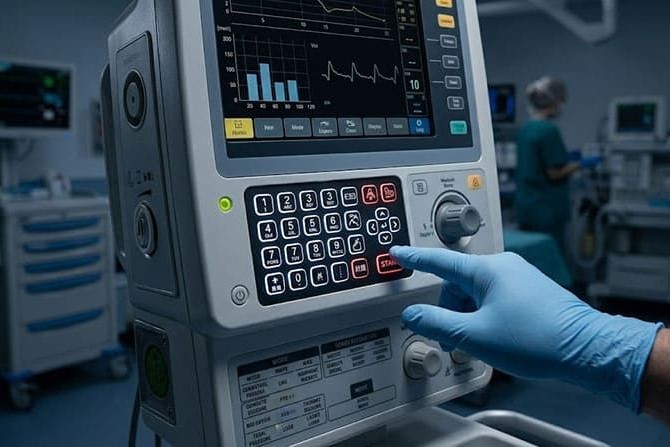
- Marine/Security: Reliable in low-light, extreme conditions.
- Medical Devices: Sterilizable with clear legends.
- Industrial Equipment: Withstands vibration and chemicals.
- Automotive: Precision for controls.
- Remote Controls/Wearables: Backlit remotes and gadgets.
- Telecommunication: Moisture-proof interfaces.
- Agricultural Equipment: Operation in tough conditions with dirt, UV light, and moisture.
How to Choose a Laser Etched Silicone Keypad Supplier
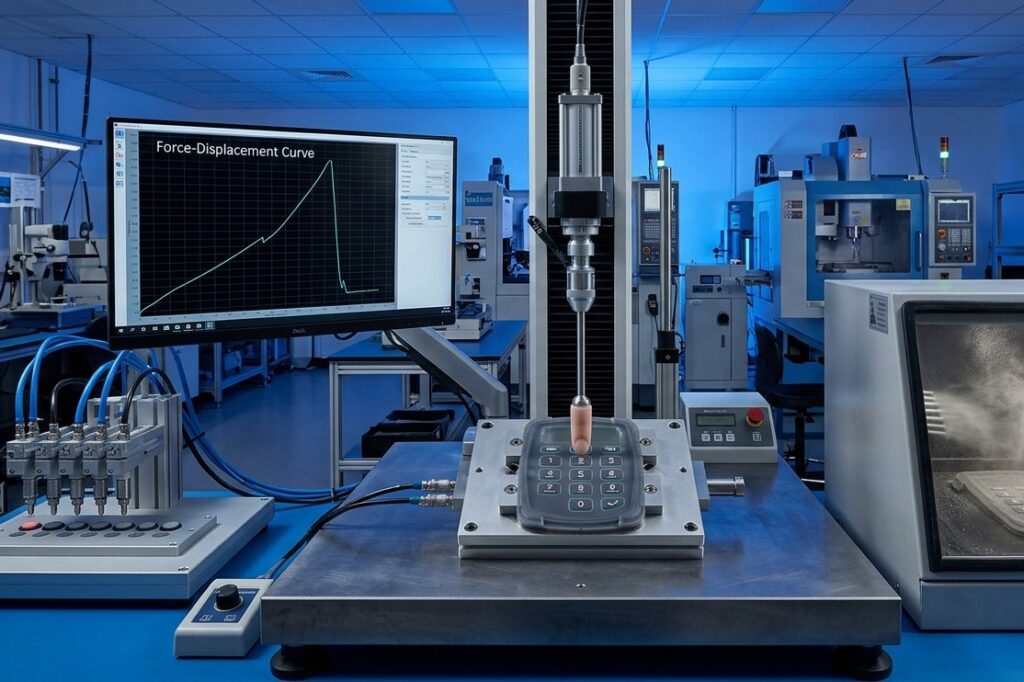
Silicone Material Grade
Ensure they use optical-grade silicone for clarity and offer certificates and relevant material data information.
Ink and Coating Compatibility
The ink layers and the topcoat must be formulated as a compatible system. A supplier mixing inks and topcoats from different manufacturers without formal compatibility validation is a reliability risk. Ask for adhesion test data on their standard ink-topcoat combination.
Laser Equipment Precision
Ask about the laser system’s minimum spot size and positioning accuracy. For keypads with font sizes below 8pt or icon line weights below 0.2mm, the laser system’s specifications directly limit what is achievable.
Quality Inspection Protocol
Specifically ask: Do you inspect finished keypads under active LED backlighting? Defects that pass surface inspection, such as light leakage, uneven legend brightness, and sidewall bleed, are only visible under backlight conditions. A supplier who does not perform inspections under backlighting conditions is not conducting quality control relevant to the product’s intended use.
Design Engineering Support
A capable supplier will review your artwork and flag issues — ink layer sequencing for multi-color designs, legend size feasibility, topcoat selection for your environment — before tooling is committed.
Industry Certifications
ISO 9001 certification indicates the presence of a documented quality management system. While it is not a guarantee, it is an important filter. For specific regulated industries:
- Medical: ISO 13485 or supply chain documentation compatible with FDA/CE-registered device manufacturing
- Defense/Government: ITAR registration (for US-supplied defense programs), relevant military specifications compliance
- Automotive: IATF 16949 (if automotive interior applications)
Make sure that the certifications are current and apply to the specific facility that produces your parts, rather than to the parent company’s headquarters.
FAQ
What is the difference between laser etching and laser engraving?
In the silicone keypad industry, the two terms mean the same thing — both refer to using a laser to remove ink layers and create backlit legends.
Can laser etched keypads be used without LED backlighting?
Yes. The high-contrast etched legends (typically white on black) are clearly readable under normal ambient light even without LEDs active.
How many ink layers can be applied for multi-color designs?
Most manufacturers support two to four legend colors, with each additional color requiring one extra ink layer and one additional masking step.
Can you clean a laser-etched silicone keypad without damaging the legends?
Yes. Laser-etched legends cannot be washed off because the legend is the absence of ink, not ink itself. And the laser-etched legends are permanent.
Can laser-etched silicone keypads support RGB LEDs?
Yes. Laser-etched silicone keypads can apply RGB LED lights within a wide range of colors by the combination of three internal LEDs (red, green, and blue). For a better illumination effect with RGB, white legend layers are recommended.
Get a Custom Laser Etched Silicone Keypad Quote from SKF
SKF‘s engineering team provides review on every new project. We will identify feasibility issues and optimization opportunities before tooling commitment, not after.
To request a quote or discuss your project requirements, contact us with your design files and application specifications. We respond to all technical inquiries within 24 hours.