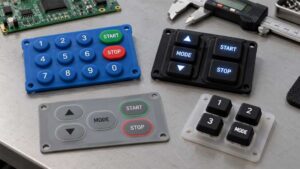
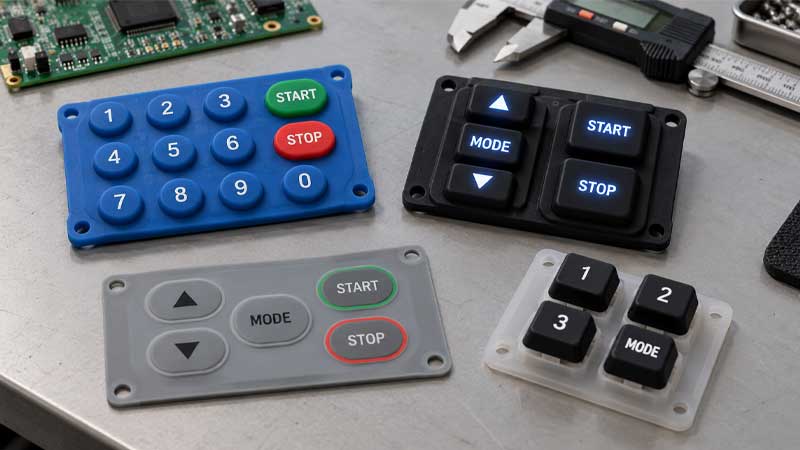
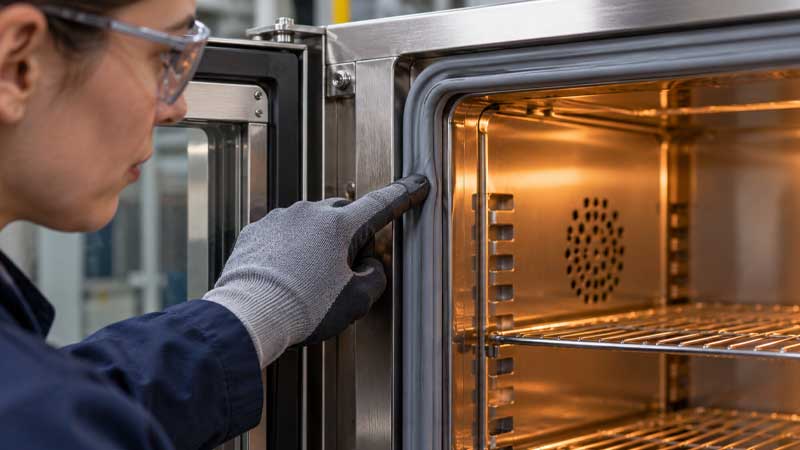
The design of the keypad layout and key spacing significantly influences user experience, ergonomics, the physical buttons, and the efficiency of the keypad, as well as the design of tactile feedback in elastomer keypads. While meeting the requirements for the desired number of keys and their corresponding functionality is important, maximizing keypad efficiency should also be considered.
For a complete breakdown of silicone keypad design, check out our comprehensive [silicone rubber keypad design guide].
How does the design of spacing and layout affect silicone rubber keypads?
The Importance of Spacing & Layout on Tactile Feedback and Stroke
Proper spacing and layout accelerate your rubber keypad, improving tactile feedback and stroke. Proper tolerance of the air paths, key spacing, and distance between the key and protective bezel effectively prevent sticky keys and rapid rebound.
Additionally, when combined with adjustable silicone button curvature, key spacing and layout can be designed ergonomically to minimize finger movement and fatigue, increase operational efficiency, and allow for high design flexibility when customizing the layout. An enhanced user interface with specific horizontal and vertical spacing guidelines can improve comfort.
Furthermore, some overmolded waterproof remotes, automotive dashboards, and infotainment systems have light windows or light blocks designed into the user interface. The spacing of the keys should accommodate these blocks and allow light to pass through the channels.
Accelerated Operation Precision
The layout of the keys relates to keystrokes by force and to the air channel located on the back of the rubber keypad. This air channel, also called an air path, allows air to pass through when a silicone button is pressed. The air paths under the gap between the keys prevent the keys from collapsing and accidentally activating the adjacent keys when one is pressed.
Overcrowded keys result in a frustrating user experience, including higher actuation force and input errors due to excessively tight spacing of the silicone buttons.
Molding Processing and Mold Constraints
Although high precision can be achieved in mold creation through CNC machining, unreasonable key spacing and layout can make demolding more difficult and result in defective rubber parts due to uneven heat distribution, material deformation, or cracking.
Additionally, the design of rubber parts with sharp corners and a compact layout in elastomer keypads leads to low dimensional precision.
Poor Backlight or Light Leakage Issue in Backlit Silicone Rubber Keypads
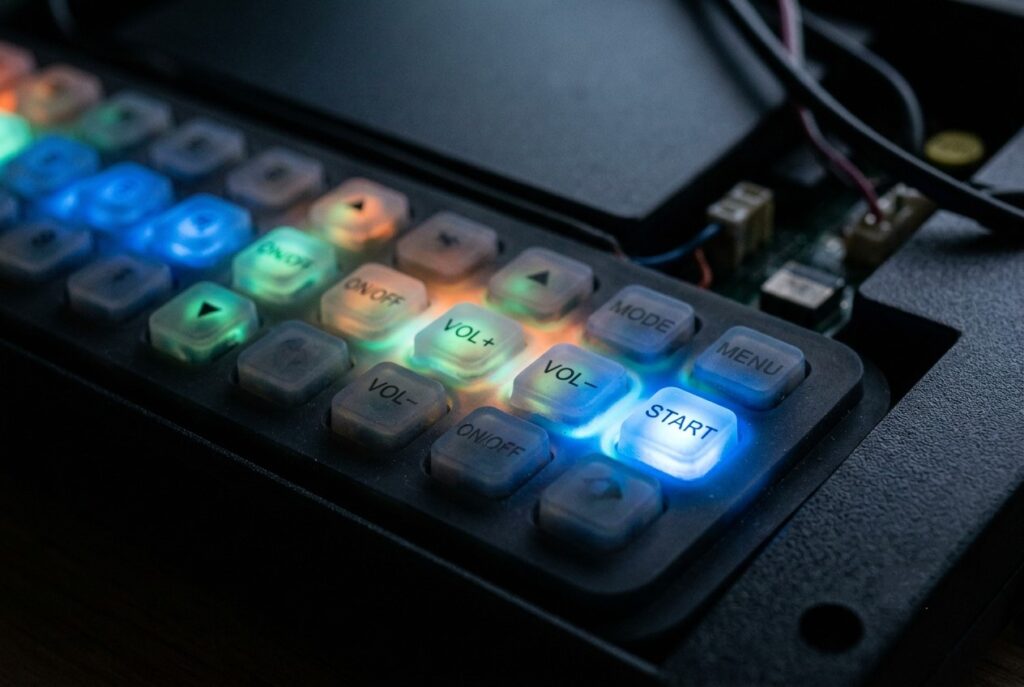
The rubber keypad has light windows and larger spacing, which improves environmental resistance and the backlit effect. There are no issues with poor illumination or leakage, which affect the performance of backlit silicone keypads.
Key Metrics
Optimal Spacing Between Keys
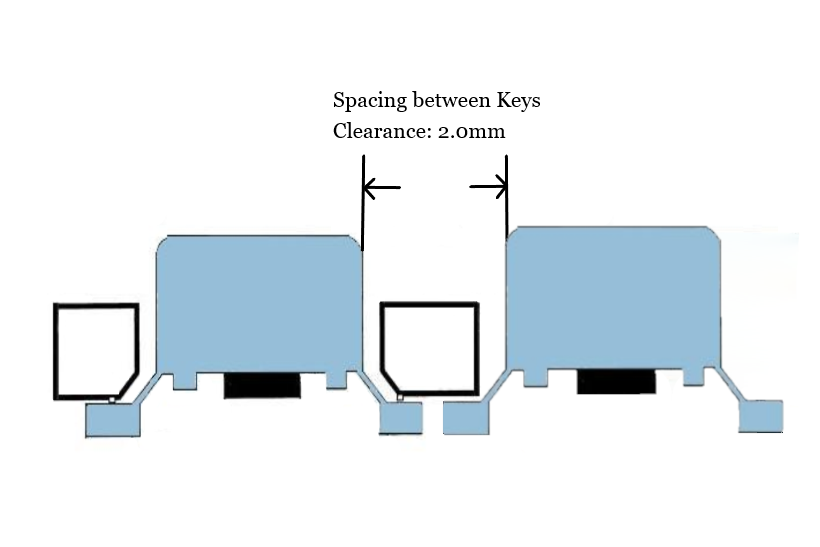
You have the flexibility to design your custom HMIs and physical buttons with a compact layout or large spacing of keys. However, excessive tight tolerance of spacing may result in defective keys, frustrating keystrokes, and multiple activations with a single press. These issues can pose hazards in specific settings.
To ensure both operator safety and a positive user experience, as well as to maintain an aesthetically pleasing design, the spacing between distinct keys on rubber keypads should be restricted to more than 2.0 mm.
Efficient Gaps of Key and Bezel
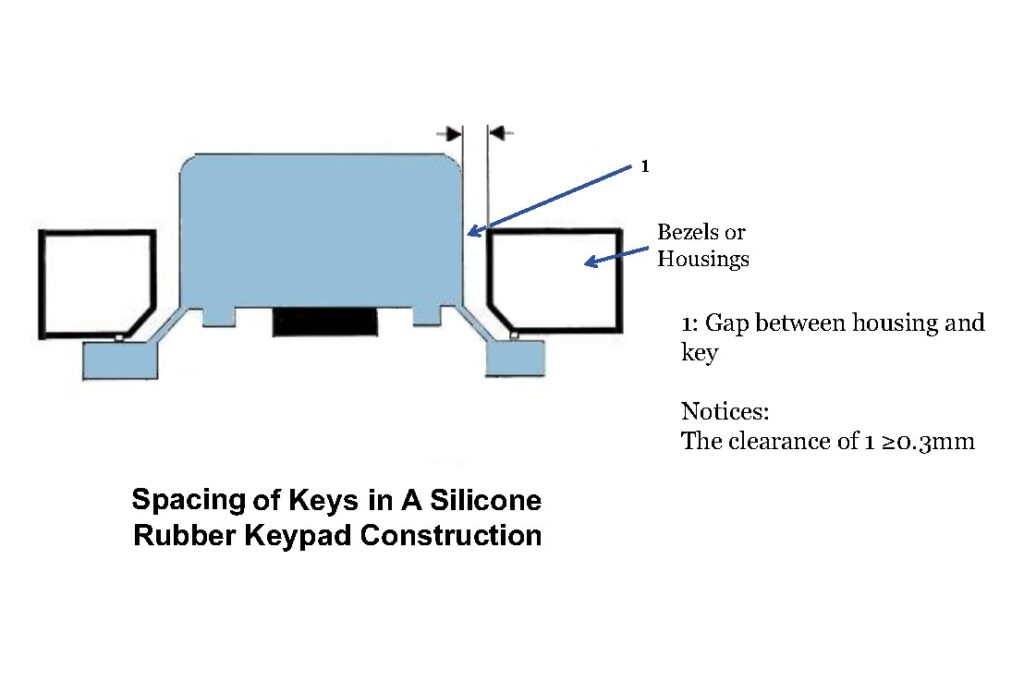
The gaps between the key and bezel, also called “key-housing gaps,” require a clearance of ≥0.3 mm. Otherwise, if the gaps are too tight, the key may stick and not rebound as usual during operation. Conversely, gaps that are too wide reduce the protective performance of additional bezels or plastic housings, as well as the environmental resistance of the entire rubber keypad against harsh conditions.
Air Paths/Channels
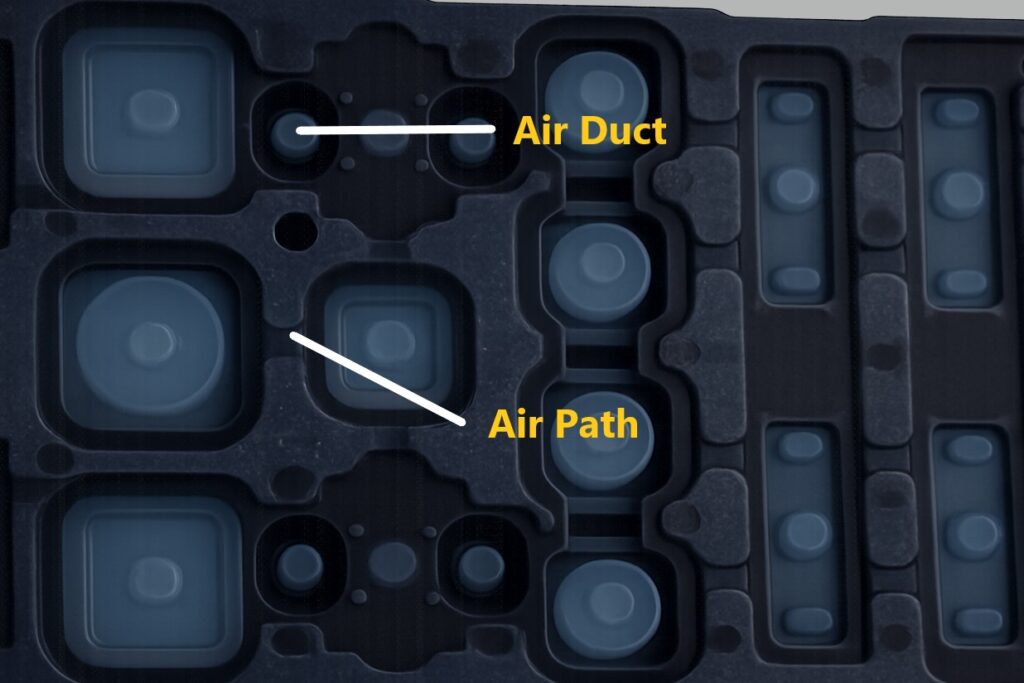
Air paths, also called “air channels,” are located in the gaps between keys and on the back of silicone keymats. These keymats are molded to look like concave paths with distinct edges.
Air Duct
Differing from air paths located in the gaps between keys, air ducts lie beneath the center of silicone buttons. This design effectively reduces sticky key issues when pressing a key and making electrical contact with copper traces on a printed circuit board.
Additional Mount Holes
If your rubber keypads are mounted with housings, circuits, and support panels, elastomer keypads require processing with mounting holes for subsequent alignment and mounting. These holes are located between the gaps of the keys. The holes should be small. Otherwise, the silicone keymat may crack due to poor mechanical strength and stiffness when subjected to repeated pressure.
The minimum diameter of mounting holes is 1.0 mm to ensure optimal performance of elastomer keypads.
Maximizing Keypad Efficiency By Spacing And Layout Design
Portable Devices and Consumer Electronics with Shorter Spacing of Silicone Buttons and Compact Layout
In terms of smaller devices, high-density spacing and distinct key shapes should be considered for optimal functionality and user experience. Further, the issue of tight spacing in compact rubber keypads can be resolved by adjusting the shapes of the keys to create distinct differences between silicone buttons.
For example, a large, round silicone button located in the center of a TV remote features relatively wide spacing between keys for the most crucial functions, such as “menu.” It is surrounded by a cluster of closely spaced elliptical silicone buttons for frequently used functions and smaller square keys for less frequently used ones.
The spacing and layout of these keys on the rubber keypad meet the need for rapid blind operation through tactile differentiation and reflect a user-driven design.
Additionally, the recommended key spacing for these portable wearables and consumer electronics is in the range of ~0.5 to 1.5 mm, striking a balance between convenience and cost.
Standard Control Panels with Moderate Key Spacing
Standard control panels are typically embedded in automotive dashboards, medical equipment, diagnostic instruments, and healthcare machinery control panels.
The corresponding functions of the silicone buttons are important and should be operated carefully by users, who may wear gloves for safety and hygiene reasons during operation in medical settings. Proper spacing improves input precision and decreases cognitive load. Otherwise, mistakes or hazards may occur, which could result in lost or threatened user safety.
For standard panels with a medium area, the recommended tolerance for enhanced interaction is ~1.5-3.0 mm key spacing.
Industrial or Aerospace Control Consoles
To ensure operational precision and safety, there should be a separation area for crucial keys and emergency buttons.
If your rubber keypads will be used in industrial control consoles or aerospace settings, consider a key layout with recommended spacing of 3.0–6.0 mm. This layout can include visual function zoning, distinct spacing for better recognition, extra areas for essential functions or emergency keys, and spaces for legends, graphics, or other information. Even if users are not familiar with these control panels, they can easily locate the most crucial keys and their corresponding programmable functions.
Separate Emergency Keypads with Large Spacing
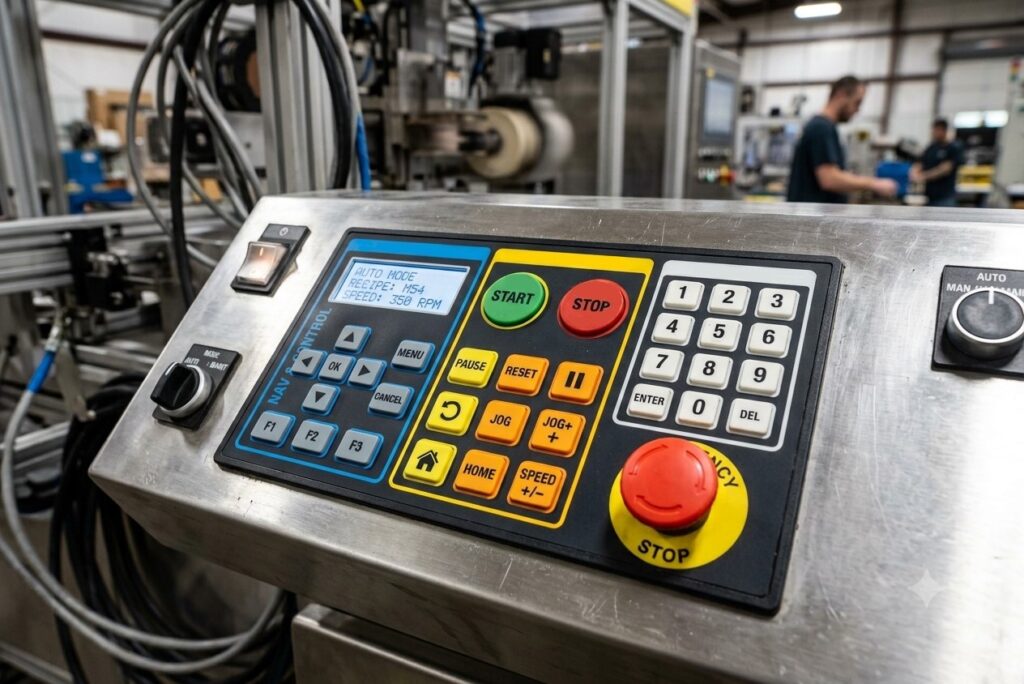
High-force silicone rubber keypads can be integrated with plastic or protective keycaps into separate emergency silicone buttons or keys that correspond to essential functions.
FAQs
Can I remove the air paths from my rubber keypad design?
Yes, rubber keypads can function without air paths, but this can result in reduced input precision due to accidental activation of two keys and collapsed silicone buttons. This can be problematic and lead to additional costs if your silicone keypad requires large-scale production.
How do you strike a balance between the compact layout of a rubber keypad and the user experience?
SKF uses function zoning, distinct button shapes and sizes, tactile differences, and different key profiles to help users rapidly recognize and operate the keypad.
Will a sharp corner affect the performance of an elastomer keypad?
Yes. Radius silicone buttons in a rubber keypad structure are beneficial for the keypad’s structural integrity, mechanical strength, stability, and dimensional precision.
Will large key spacing influence the user experience?
Yes, if your elastomer keypad is equipped with a bezel. Excessive spacing between keys also means a larger tolerance between the keys and the bezel. This allows external contaminants and liquids to enter the internal structure, resulting in damage.
How do you prevent accidental activation with gloved hands?
SKF offers high-force silicone rubber keypads and silicone buttons surrounded by slightly curved housings to enhance input precision.
Final Thoughts
SKF provides key spacing and layout designs to accelerate keypad efficiency during operation. Our professional engineering team offers individual solutions for different devices and user interfaces with distinct areas and applications.