Gaming controllers provide an immersive visual, acoustic, and tactile experience when connected to a gaming console. As input devices, controllers feature a silicone rubber inner keypad to provide gentle rebound and immediate feedback.
The following articles will demonstrate the advantages of silicone keypads for gaming controllers in terms of design flexibility, texture, tactile feedback, a non-slip surface, durability, reduced fatigue, increased comfort during use, and responsiveness.
Classification of Silicone Keypads for Controllers
Silicone Inner Conductive Small Button
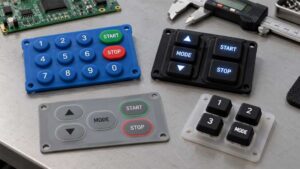
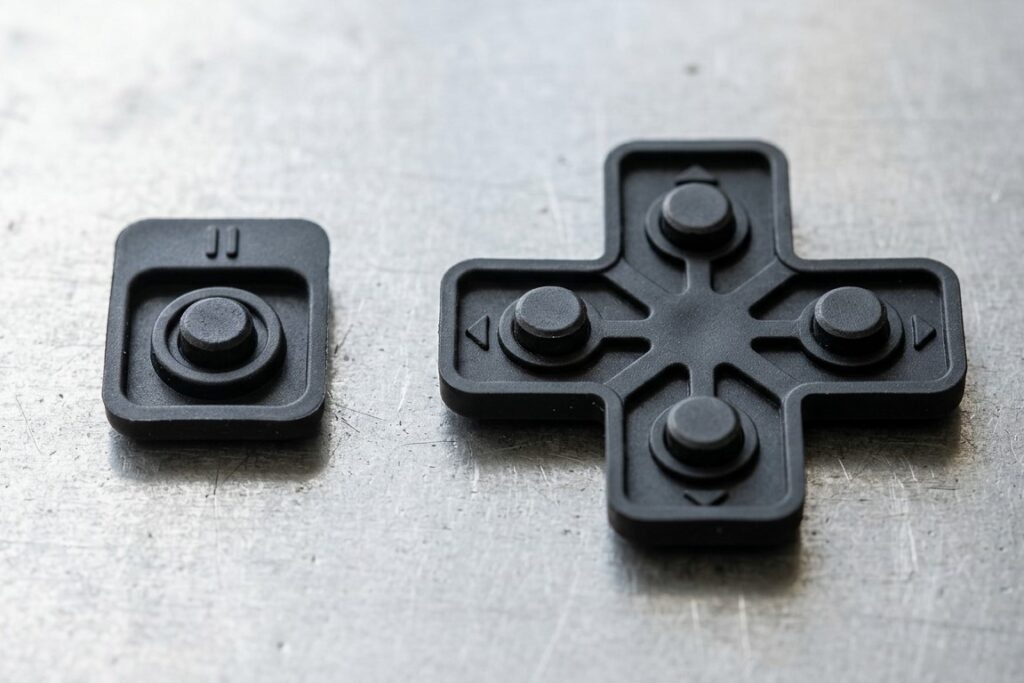
Silicone rubber keypads can be used as conductive button pads underneath the buttons on gaming controllers. These small single silicone buttons are used for “option,” “pause,” and other functional buttons, which are common rubber parts for retro console or other game console. They can be assembled into controllers or used as replacements.
Inner Silicone Keypad for Directional Pad in Controllers
Inner silicone keypads for directional pads usually have four keytops with sharp or rounded edges. To register electrical signals, silicone keypads also have four conductive carbon pills on the top of the electrical contacts or conductive traces.
All of the small silicone button pads or silicone keypads for directional pads can be customized to meet the specific sizes and designs required for your silicone gaming keypad project. Additionally, these silicone keypads are compatible with controllers from major brands for gaming consoles.
External Silicone Keypads
In addition to their non-slip surfaces and distinctive silicone button texture, which is typical of gaming controller design, silicone keypads are also applied to the external interfaces of these products. These keypads are ergonomically designed for ease of use and precision, allowing players to operate the controller with confidence and accuracy. Some of the gaming controllers also combine the use of external silicone keypads and ABS plastic keytops. With two different textures and sizes, players can identify the buttons they want to press without looking, facilitating blind operation.
How to Mold Silicone Keypads with Conductive Pills?
Preparation Before Molding of Silicone Keypad Manufacture
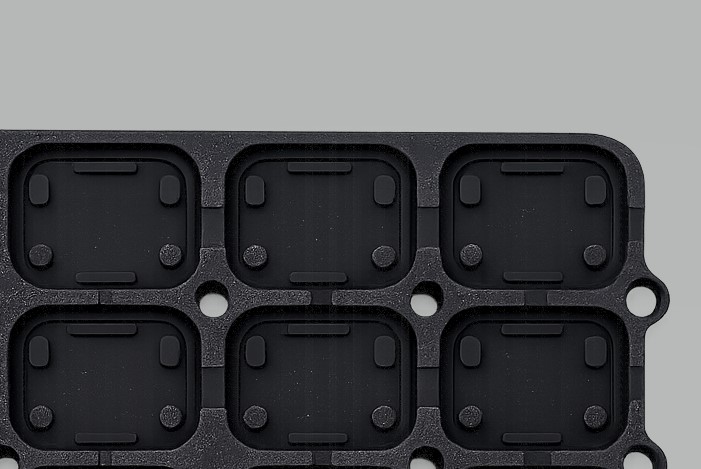
Prior to the compression molding process, our CNC milling machines convert your designed silicone keypads into tooling. Concurrently, carbon-impregnated silicone pills will facilitate the conduction of electricity across entire silicone keypads for gaming controllers. Prior to overmolding, the position tool must absorb the carbon pills and transfer them into the mold thoroughly. The pills are located on the back of the final silicone keypad products and are typically a striking black.
Compression Molding
Once prepared, the silicone raw materials in the desired colors are placed in the tool and are ready to be molded by the compression molding machine. The silicone keypads are compressed in a curing process involving high heat and pressure. Then, the formed silicone keypads with conductive pills on the rear are demolded.
Post-Curing Process to Avoid Incomplete Curing
If there is residual catalyst due to incomplete curing, the leached residues may deposit on the electrical contacts, affecting the conductivity performance of the silicone keypads rather than causing contact failure. After the curing process, we usually treat the formed silicone keypads with a post-curing process to evaporate the non-cured catalyst in the silicone.
Printing
To achieve clear and relatively durable inks on the keytop, the cost-effective screen printing and pad printing processes can be used to print graphics or characters directly onto the silicone keypads. You can choose from a wide range of logos and colors to bring your ideas to life.
To strengthen the backlighting effect and increase the durability of prints on translucent silicone, laser-etched silicone keypads can be used to selectively remove the ink coating.
Specific Requirements on Backlighting
The translucent laser-etched silicone keypads are basic to improve the backlighting effect of silicone keypads. The legend area allows the light source to come through; that refers to discrete LEDs for high-end gaming controllers or uniform light guide films (LGFs) and RGB LEDs. The white image on laser-etched silicone enables an improved backlighting effect. Further multicolor options are also available.
What can I customize a silicone keypad with?
Texture Designs Via Surface Finishes
The buttons on gaming controllers are made of silicone rubber, metal, or plastic and can be clearly identified by touch. However, silicone rubber can be treated to provide different textures, such as matte, glossy, and textured finishes. Once you are familiar with the layout of the silicone keys and the shapes and textures, it is easy to operate them blind.
Height and Curvature Personalization
With adjustable precision and hardness, each silicone key on the keypad can be compressed via the compression molding process to achieve a specific height, contour, and curvature with high precision. These distinctions make tactile recognition, operational comfort, and design flexibility possible.
The Key Layout
You can design your own layout of keys for silicone keypads for your gaming controller project. Additionally, the keytop spacing and thickness can be combined with the aforementioned texture, finish, and curvature to enhance the desired user experience.
Benefits of Silicone Rubber Keypad in Gaming Controllers
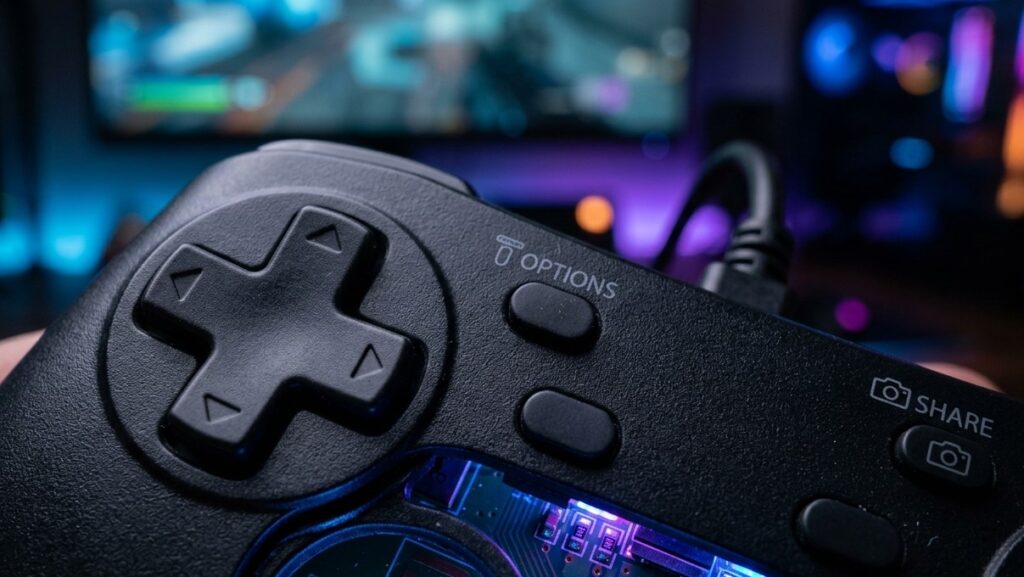
Immersion with Tactile Feedback by Silicone Keypad
When you press a button on a gaming controller, the corresponding action is performed in the game. At the same time, the player receives physical tactile feedback to confirm that the button has been pressed correctly. This feedback is created by the collapsed key web of the silicone keypad and the snapping sensation. Instead of conductive carbon pills on the rear, silicone keypads can also be equipped with metal domes to enable tactile feedback upon actuation.
Non-Slip Surface of Silicone Keypads
During intense gaming sessions, you may have noticed that your fingers get sweaty and the buttons slip when you press the acrylonitrile butadiene styrene (ABS) or other plastic keycaps. Or maybe there are some fingerprints on the keytop surface.
Silicone keypads are the ideal solution for non-slip performance and resistance to body fluids, ensuring a pleasant experience when pressing the buttons on gaming controllers. The printed graphics won’t peel easily due to frequent abrasion and exposure to sweat.
Durability Withstanding Millions Repeated Pushes
Using silicone keypads in gaming controllers demonstrates the benefits of the silicone material, which is resistant to wear and deformation under pressure and repeated pushes.
Exposed silicone keys can withstand prolonged friction and millions of repeated pushes from players’ fingers while maintaining their tactile feel and appearance.
Low Actuation Force ensuring Input
Actuation force is the amount of pressure needed to activate a button, determining how light or heavy a key feels to press.
For industrial silicone keypads on devices or equipment, the keys must prevent accidental activation and require a sufficiently strong actuation force to activate a switch. Conversely, silicone keypads for gaming controllers require continuous input to control actions in video games, so a lower actuation force is needed.
By adjusting the actuation force, controllers with silicone keypads can accommodate both rapid button presses and standard input for game consoles. This strikes a balance between decreased fatigue and the interactive needs of the gaming experience.
Decreased Fatigue of Fingers and Palms
High-force key presses and excessive wrist extension can lead to finger and palm fatigue, which is also related to an improper key layout, an incorrect angle of the button keypads and keycaps, and high travel. These factors can easily result in faster finger fatigue and muscle soreness due to the extra travel and effort involved in pressing, which usually occurs when operating mechanical buttons.
As an elastic polymer, silicone rubber keypads gently rebound as single buttons or button keypads underneath the keycaps in gaming controllers. The comfort of pressing a button is one factor that can be improved in terms of ergonomics.
Accuracy and Responsiveness
For competitive gaming in particular, immediate interaction and accurate input are essential for an enhanced gaming experience. Reliable electrical contacts on the rear of the silicone keypads offer stable contact resistance due to the carbon density of the conductive pills and their resistance to wear.
At SKF, we ensure a proper ratio and density of high-quality, wear-resistant carbon pills to guarantee high accuracy and responsiveness.
FAQs:
Can I use your silicone keypads to replace the ones on my gaming controllers directly?
Yes. However, you will need to check the internal layout, the desired tactile feedback, the hardness, and the spacing of the face buttons on the two keypads. You can send us pictures of your desired keypad.
How do I test my gaming controller for input?
Search for “online controller input test” to find some tools. These will help you to check the buttons, triggers, sticks, and vibration.
What are the signs that the silicone keypads in my gaming controller are failing?
This could be due to loss of tactile feedback, insufficient rebound, wear and tear of the internal conductive pads, or multiple inputs from a single press.
Does a lower actuation force for silicone keypads on gaming controllers reduce finger fatigue?
Yes. However, it also increases the risk of accidental touches and poor tactile feedback.
What surface finishes are available for anti-slip and durability for gaming controllers with silicone rubber keypads?
Ous SKF enables the production of silicone keypads with non-slip & matte PU coating on the surface, excellent lifespan withstanding millions of presses, durable legends by laser etching, and special texture design to increase friction.
Can silicone keypads replace mechanical switches in controllers?
Controllers with silicone keypads provide lightweight, improved seal, tactile feedback, or quiet operation options; non-slip presses; and customized backlights with uniformity.
Conclusion
Silicone rubber keypads have been widely used in gaming controllers to improve the gaming experience by providing “snap” tactile feedback and a unique silicone touch. The surface is non-slip and sweat-resistant.
At SKF, we can support your silicone keypad project for gaming controllers with customization and design flexibility in terms of structure, texture, and durability. The keypads provide precise input with lower actuation force and reduce finger fatigue while offering rapid responsiveness.