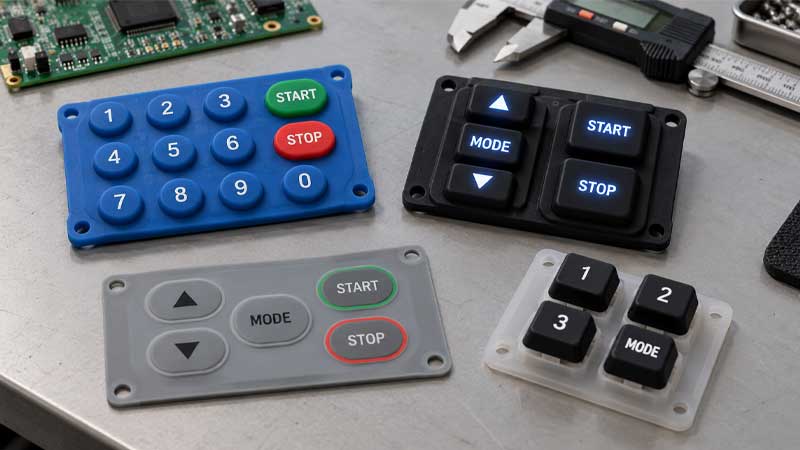
A custom silicone keypad provides flexible tactile feedback in combination with key stroke, actuation force, key shape, and keytop hardness. However, improper design of these parts can result in switch bounce, wobbly keys, or key sticking issues, which can significantly affect input accuracy and user experience. In extreme cases, it can even lead to the failure of electrical devices or machinery.
Reasons for Bounce, Wobble, and Key Sticking Issues
In addition to environmental factors as well as material fatigue, an excessive material shrinkage rate or an improper mold design can lead to uneven cooling, excessive material shrinkage, and dimension issues, which can result in curled edges and bounce, wobble, and key sticking issues.
Switch Bounce
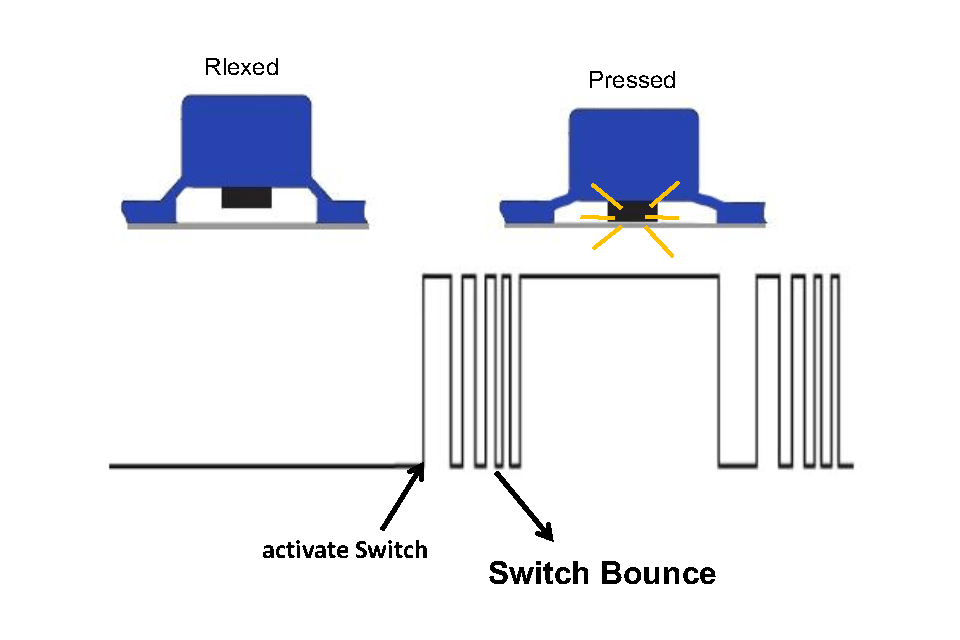
Bounce, also known as ‘switch bounce’ or ‘contact bounce’, causes erratic input and unwanted double or multiple signal transmissions due to wear and tear or loss of elasticity in the conductive pills, contamination between the PCB and electrical contacts, or oxidized PCB contacts on the PCB.
Wobble Keys
“Wobble” refers to a key’s lateral instability in a silicone keypad when touching and pressing the keytop, resulting in inconsistent actuation. The poor structure of the silicone keypad may be the reason for this, which involves excessive tolerance, improper web design, or a high-profile keytop with a higher center of gravity.
Key Sticking
A key sticking issue typically leads to unresponsive keys or a long recovery time to the original key position due to contamination stuck in the housing and bezel and worn-out coatings or cracked web structure.
Switch Bounce with Silicone Keypads and Debounce
What Is Switch Bounce?
Switch bounce, also called contact bounce, occurs when the internal electrical contacts of a switch do not close completely. Components won’t connect stably but may bounce momentarily, generating multiple electrical signals that significantly affect the accuracy of input. Although switch bounce is unavoidable, it can be controlled to improve keypad performance and reliability.
Switch Bounce in Conductive Silicone Keypad
In a silicone keypad with domes as the actuator, contact bounce occurs when the contacts close and open to allow electrical current to flow. Due to the increased contact resistance of conductive silicone keypads or the degradation of carbon pills, conductive silicone keypads have a higher bounce rate than non-conductive keypads.
Hardware Debouncing
Hardware, such as capacitors and resistors in a circuit, can be used to reduce bounce by filtering out high-frequency bounce while allowing low-frequency keypresses to pass through. However, the additional bill of materials (BOM) cost and debouncing results make hardware an impractical solution.
Firmware Debouncing
Firmware provides a flexible solution to the switch bounce problem by using software instead of mounting components to the printed circuit board (PCB). Specific built-in coding enables the software to ignore bouncing signals and ensure accurate input signals.
Wobble Solutions for Silicone Keypads
Due to the use of a forcing cone in conductive silicone keypads, the condition of wobbly keytops is frequently hard to avoid with improper design. Keys that are stuck in the corners may lead to multiple key presses, resulting in poor accuracy and user experience.
Stabilizers
Besides, when the contact size is significantly smaller than the key, stabilizers can be used to reduce keytop wobbling and maintain the effectiveness of the entire silicone keypad during keystrokes.
Anti-Wobble Pins
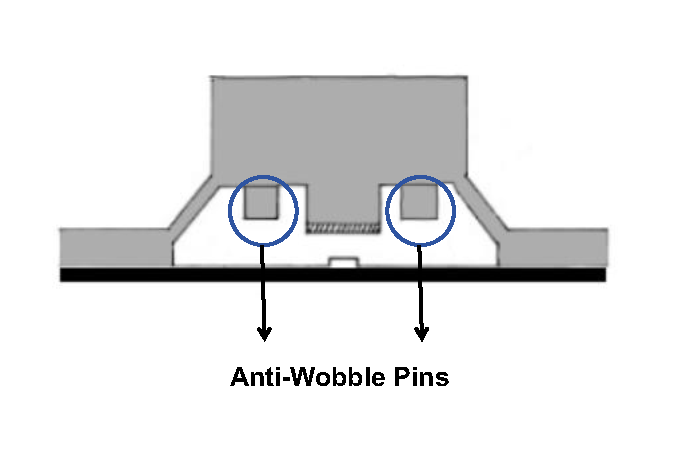
Anti-wobble pins can effectively address this issue. These pins are mounted on either side of the keytop of a silicone keypad to ensure that the keytop does not lower below the surface. This is preferred for silicone keypads with larger footprint buttons or small conductive pills.
Web Thickness

In order to reduce the force required for switch activation, some manufacturers may produce silicone keypads with thin webs, but they may eliminate the necessary structural strength to prevent the wobble problem. Our engineers provide professional advice on web design, including thickness, length, and angle, to optimize performance in devices.
Solutions for Key Sticking in Silicone Keypads
Qualified silicone keypads provide consistent, smooth keystrokes when pressing the center or edges of a keytop. A well-designed structure is crucial for the usability and extended life cycle of silicone keypads. The overall stress distribution, stroke (travel distance), key height, length, and angle of the web influence the actual user experience and prevent the key sticking problem.
In general, key sticking or binding occurs when the clearances are too tight or the keys have an improper stroke path. We provide silicone keypads with precise actuation force tolerances according to your specific dimensional requirements.
- The key housing clearance is a minimum of 0.3 mm, and the key clearance is around 2.0 mm.
- Travel distance refers to the distance between the internal actuator (i.e., the conductive pill or metal dome) and the electrical contact of the printed circuit board.
- The return force is set in the range of 30 to 35 g, keeping the stroke as near to 0.8 mm as possible to deal with sticking issues in elastic rubber keypads.
- Besides, establishing posts on the base of the key or multiple contacts per key can be applied to the design of silicone keypads.
- In the web structure of a silicone keypad, a shorter length is preferable, and the angle of the web should be as close to 40° as possible to ensure stability, elastic deformation, and recovery.
- The preferred actuation force is 80-150 g for keys that are 10-15 mm high, and the preferred actuation force is 150-175 g for keys that are 15-25 mm high.
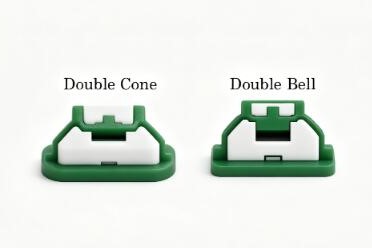
- Additional travel is experienced with a rubber switch after initial switch closure. Silicone keypads with overstroke need to be designed with a double-cone or double-bell structure to balance the extra actuation force range and improve the life cycle.
FAQ
What should I do if my silicone keypad has a slower rebound?
Check to see if air is trapped underneath the keypad due to a lack of necessary air paths. If the rebound does not improve, check for and clean any contamination in the bezel and housing.
Does the snap ratio affect the risk of keys sticking?
A high snap ratio means lower return force and a higher risk of a key sticking. A return force of at least 30 g is preferred, as it makes the key easier to return to its original position.
What is the recommended clearance between the key and the plastic housing of the silicone rubber keypad?
Maintain a clearance of 0.15–0.30 mm.
How do you measure switch bounce?
Use an oscilloscope to measure switch bounce time and observe voltage instability during contact breaking or making.
Are coatings on a silicone keypad beneficial for a key sticking?
A polyurethane (PU) coating is an effective option for forming a protective, slim layer against friction and wear for long-term, high-frequency operation.
Conclusion
Through a well-designed silicone keypad hardware and software debouncing solution with additional anti-wobble pins & stabilizers in the structure of silicone keypads and specific web parameter adjustments, common failures like switch bounce, wobble keys, and key sticking can be solved.
More information or problems about silicone keypad design is offered by our engineer.