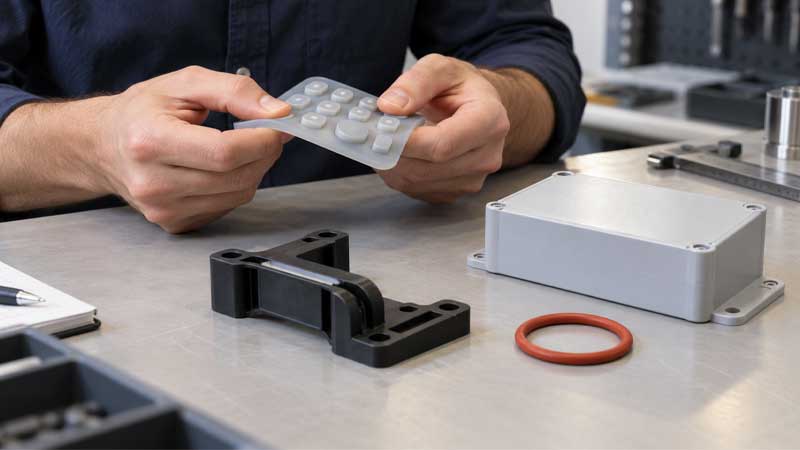
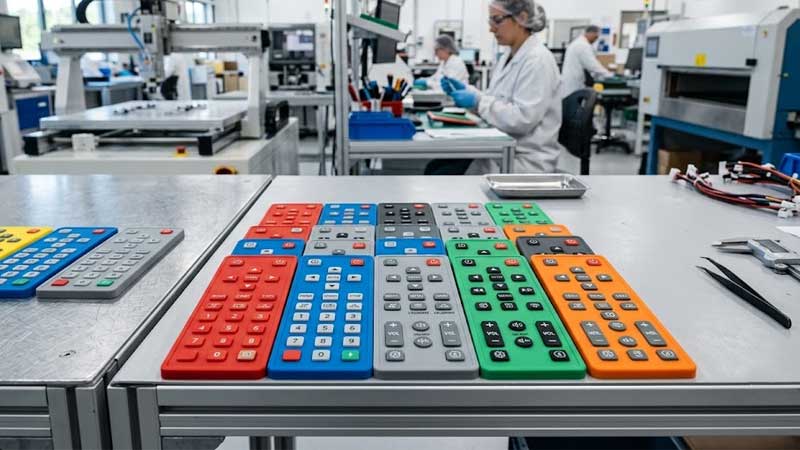
Silicone keypad printing is the process of adding characters, symbols, logos, and functional markings onto silicone rubber keypads. It plays an important role in electronic interfaces, including industrial controls, automotive switches, medical devices, and consumer electronics.
Unlike plastic or metal surfaces, silicone is flexible and chemically stable, making printing more challenging. A successful silicone keypad printing process requires suitable printing technology, silicone-compatible inks, proper surface treatment, and strict quality control.
Common decoration methods include screen printing, pad printing, UV printing, inkjet printing, and laser etching. Each technology has different advantages depending on production volume, graphic requirements, durability expectations, and product structure.
Why Silicone Keypad Printing Requires Special Technology
Silicone is widely used for keypads because of its excellent elasticity, temperature resistance, and soft tactile feel. However, these properties also create difficulties during printing.
The main challenge is the low surface energy of silicone. Ordinary inks cannot easily spread or form a strong bond with the silicone surface. Without proper treatment, printed graphics may peel, fade, or crack during long-term use.
Another challenge comes from silicone flexibility. Unlike rigid materials, silicone keypads continuously deform during pressing. The printed layer must remain attached while following repeated compression and recovery.
Therefore, silicone keypad printing requires cooperation between:
- Silicone material selection
- Surface preparation
- Ink formulation
- Printing process
- Curing conditions
A reliable printing solution is not only about creating attractive graphics but also ensuring long-term durability under real operating conditions.
Screen Printing for Silicone Keypads
Screen printing is the most common printing technology used for silicone keypads. It provides a good balance between cost, production efficiency, color capability, and reliability.
How Screen Printing Works
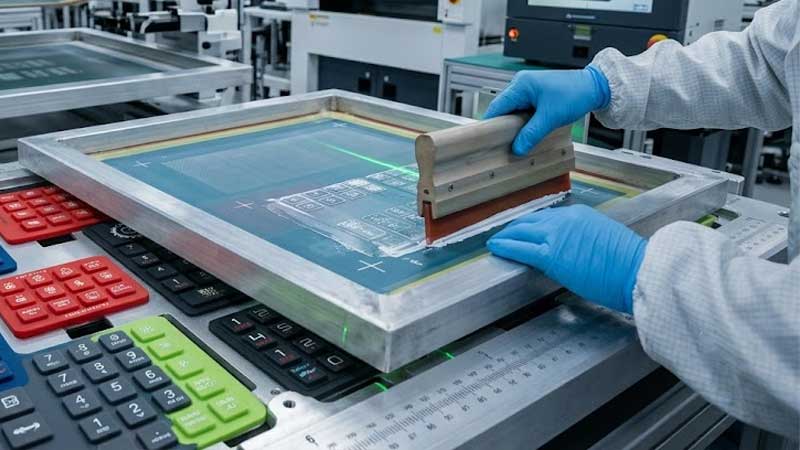
Screen printing uses a mesh screen containing the required graphic pattern. During printing, silicone ink is pushed through the open areas of the screen onto the silicone keypad surface.
After printing, the ink is cured to create a durable graphic layer.
For silicone applications, manufacturers use specially formulated silicone inks because conventional inks usually cannot achieve sufficient adhesion.
The basic process includes:
- Preparing the printing artwork
- Producing the printing screen
- Applying silicone ink through the mesh
- Curing the printed layer
Because silicone keypads are soft and flexible, production fixtures are normally used to keep parts stable during printing. Proper positioning is especially important for small characters and multi-color designs.
Advantages and Manufacturing Considerations
Screen printing is preferred for large-volume silicone keypad production because it offers stable repeatability and relatively low unit cost.
It is suitable for:
- Standard characters and symbols
- Logos
- Multi-color markings
- Functional indicators
One important advantage is color flexibility. Different silicone ink colors can be combined to create customized designs according to customer requirements.
However, printing quality depends heavily on process control. The silicone surface must be clean before printing because dust, mold release agents, or silicone residue can reduce adhesion.
For high-wear applications, manufacturers may add protective coatings after printing. These coatings improve resistance against abrasion and chemical exposure while maintaining the required tactile feel.
Multi-color printing also requires accurate registration between different layers. Poor alignment may result in blurred edges or color overlap.
Pad Printing for Silicone Keypads
Pad printing is another widely used technology for silicone keypad decoration, especially for curved surfaces and irregular button structures.
How Pad Printing Works
Pad printing transfers ink from an engraved plate to the silicone keypad through a flexible silicone pad.
The silicone pad first picks up ink from the engraved plate and then presses against the product surface. Because the pad can deform, it can follow curved or uneven geometries better than flat printing methods.
This makes pad printing suitable for:
- Curved buttons
- Small-area graphics
- Three-dimensional silicone components
Advantages and Process Control
The main advantage of pad printing is its ability to print on complex shapes.
Many silicone buttons have rounded surfaces where screen printing may have difficulty maintaining consistent contact. Pad printing solves this problem by allowing the printing pad to adapt to the surface.
However, pad printing requires careful control of several parameters:
- Pad hardness
- Printing pressure
- Ink condition
- Plate depth
- Position accuracy
For multi-color designs, each color usually requires a separate printing process. Therefore, accurate alignment becomes important for maintaining graphic quality.
Compared with screen printing, pad printing is generally better for complex geometries but less efficient for very high-volume flat products.
UV Printing for Silicone Keypads
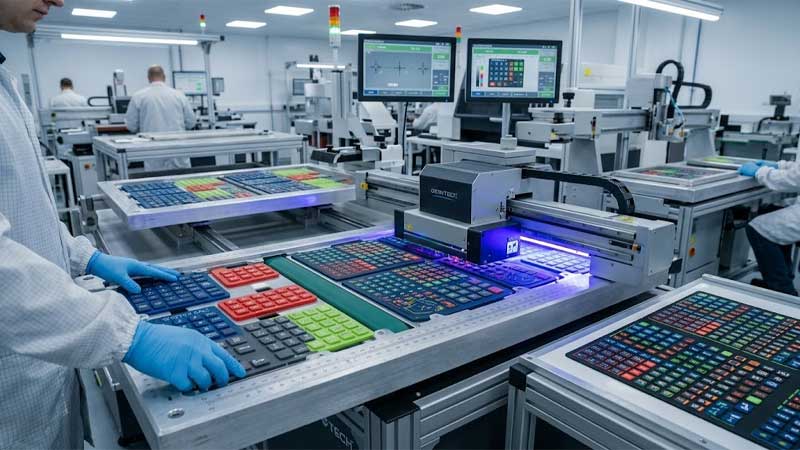
UV printing is a digital printing technology that uses ultraviolet light to cure ink immediately after printing.
How UV Printing Works
During UV printing, ink is deposited directly onto the silicone surface and then exposed to UV energy. The UV light triggers a curing reaction that transforms liquid ink into a solid coating layer.
Unlike traditional screen printing, UV printing does not require printing plates, making artwork changes faster and easier.
It is suitable for:
- Customized designs
- Small production quantities
- Complex graphics
- Prototype development
Advantages and Limitations
The main advantage of UV printing is design flexibility. Digital control allows manufacturers to produce detailed graphics, multiple colors, and customized patterns without preparing new screens.
However, silicone adhesion remains the key challenge.
UV curing can harden ink quickly, but fast curing does not automatically create strong bonding with silicone. The printing system must be optimized through:
- Compatible UV ink
- Surface treatment
- Proper curing parameters
For high-volume silicone keypad production, screen printing is still more common because of its proven durability and lower production cost.
Inkjet Printing for Silicone Keypads
Inkjet printing is a digital printing method that creates graphics by spraying microscopic ink droplets directly onto the silicone surface. Unlike screen printing and pad printing, it does not require printing plates, making it more flexible for customized products and small-batch production.
How Inkjet Printing Works
In an inkjet printing process, digital artwork is converted into printing instructions. The print head then deposits tiny ink droplets according to the designed pattern.
The technology can produce:
- Fine characters
- Complex images
- Gradient colors
- Variable designs
However, silicone is not an easy substrate for inkjet printing. Most standard digital inks cannot directly bond with silicone because of its low surface energy.
To improve adhesion, manufacturers may use:
- Silicone-compatible inks
- Surface primers
- Plasma treatment
- Printable coating layers
Advantages and Limitations
The biggest advantage of inkjet printing is flexibility.
Because the artwork is controlled digitally, manufacturers can quickly modify designs without producing new tooling. This makes it useful for prototypes, customized products, and low-volume production.
However, inkjet printing is less common for mass silicone keypad production because durability and adhesion require additional process control.
Compared with screen printing, inkjet printing usually has higher flexibility but lower cost efficiency for large quantities.
Laser Etching and Laser Marking for Silicone Keypads
Laser etching is an important marking technology for silicone keypads, especially for applications requiring permanent characters, high wear resistance, and backlight functions.
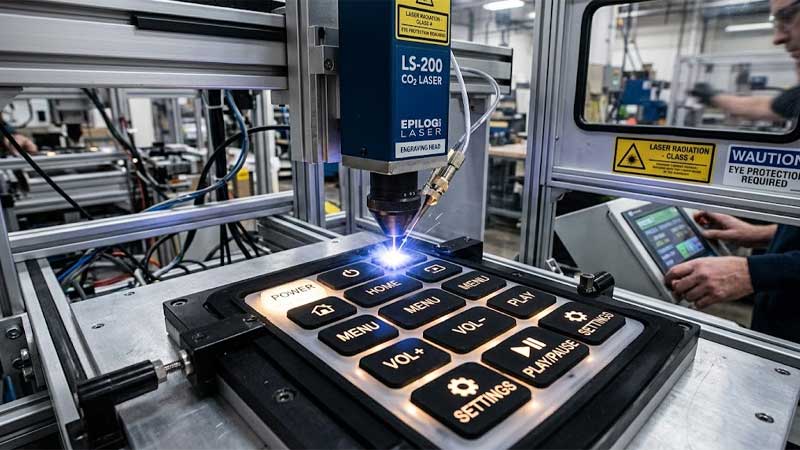
Unlike printing technologies that add an ink layer, laser etching creates graphics by removing or modifying surface coatings.
Difference Between Laser Etching and Laser Marking
Laser marking is a general term for using laser energy to create visible marks on materials.
Laser etching is one type of laser marking process where the laser removes part of a surface layer to create contrast.
In silicone keypad manufacturing, these two terms are often used interchangeably because many applications involve removing a top coating layer to expose an underlying color.
How Laser Etching Works
Most laser-etched silicone keypads use a multi-layer coating structure.
The typical process includes:
- Silicone keypad molding
- Applying a base coating
- Applying a top color coating
- Removing selected areas with laser energy
The laser follows the digital design file and removes the upper coating layer. The exposed lower layer creates visible characters or symbols.
This method is widely used for backlit silicone keypads. The laser opening allows LED light to pass through specific areas and creates illuminated symbols.
Advantages and Limitations of Laser Etching
Laser etching provides excellent durability because the marking is created through surface modification instead of relying only on an external ink layer.
Its advantages include:
- Permanent markings
- High abrasion resistance
- Precise small characters
- Excellent backlight performance
However, laser etching has limitations.
The process mainly creates contrast through different coating layers, so it is not suitable for complex full-color graphics.
Other considerations include:
- Higher equipment investment
- Requirement for suitable coating design
- Need for accurate laser parameter control
Laser power, scanning speed, focus distance, and coating thickness all affect the final appearance.
Silicone Ink Technology for Keypad Printing
Silicone ink is one of the most important factors affecting silicone keypad printing performance.
Because silicone has excellent chemical stability and flexibility, standard inks usually cannot provide sufficient adhesion. Silicone-specific ink systems are required to create a durable and flexible printed layer.
Types of Silicone Printing Ink
Heat-Curable Silicone Ink
Heat-curable silicone ink is the most common solution for silicone keypad manufacturing.
After printing, the products are placed in an oven where heat activates the curing reaction. The ink forms a stable coating layer with good flexibility and wear resistance.
It is widely used for:
- Industrial control keypads
- Remote controls
- Automotive buttons
- Electronic interfaces
UV-Curable Silicone Ink
UV-curable silicone ink uses ultraviolet energy to rapidly harden the printed layer.
Its main advantage is fast processing speed, making it suitable for customized production and digital printing applications.
However, manufacturers must verify adhesion performance because curing speed alone does not guarantee strong bonding with silicone.
Room-Temperature Curing Silicone Ink
Room-temperature curing ink can solidify without high-temperature baking.
It is useful for applications where heat exposure must be limited. However, curing time is generally longer than thermal curing systems.
How Silicone Ink Bonds to Silicone Surfaces
Reliable adhesion between silicone ink and silicone substrate depends on chemical compatibility, surface activation, and curing quality.
A good printing system must allow the ink layer to remain attached while maintaining flexibility during repeated button pressing.
Chemical Compatibility
Silicone inks contain silicone-based polymers that are compatible with silicone rubber.
During curing, these materials create cross-linked structures that improve bonding between the printed layer and silicone substrate.
The ink formulation typically includes:
- Silicone resin
- Pigments
- Cross-linking agents
- Catalysts
- Additives
The balance of these components affects:
- Adhesion strength
- Flexibility
- Surface hardness
- Chemical resistance
Surface Interaction
Surface treatment improves ink wetting and allows the ink to form better contact with silicone.
A properly prepared surface helps reduce common failures such as:
- Ink peeling
- Uneven coverage
- Poor durability
Therefore, silicone printing quality depends on both ink selection and surface preparation.
Surface Treatment Before Silicone Printing
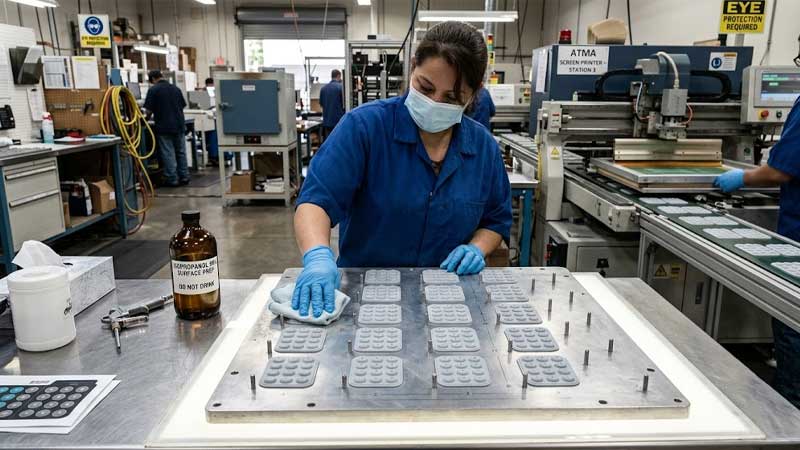
Surface treatment is an important step for improving adhesion between silicone and ink.
The most common methods include plasma treatment, flame treatment, and primer coating.
Plasma Treatment
Plasma treatment modifies the silicone surface by creating active chemical groups and increasing surface energy.
The benefits include:
- Better ink spreading
- Improved adhesion
- More consistent printing quality
However, plasma activation is temporary. Printing should be completed within a controlled time after treatment because the surface activity gradually decreases.
Process parameters such as treatment power, distance, and time must be optimized. Excessive treatment may damage the silicone surface.
Flame Treatment
Flame treatment improves silicone printability through controlled oxidation.
It is suitable for high-volume production because of its fast processing speed.
However, excessive heat exposure may affect silicone appearance and mechanical properties. Therefore, temperature and processing time must be carefully controlled.
Primer Coating
Primer creates an additional bonding layer between silicone and printing ink.
It is commonly used for applications requiring higher reliability, including:
- Automotive controls
- Industrial keypads
- Medical equipment interfaces
A suitable primer improves resistance against abrasion, chemicals, and long-term use.
Curing Methods for Silicone Keypad Printing
After printing, silicone ink must be cured to achieve stable adhesion, flexibility, and durability. The curing method depends on the ink type, production requirements, and product structure.
Incorrect curing conditions may cause problems such as weak adhesion, surface tackiness, color variation, or reduced wear resistance.
Thermal Curing
Thermal curing is the most widely used method for silicone keypad printing.
After printing, silicone keypads are heated in an oven. The heat activates the chemical reaction inside the ink and creates a stable coating layer.
Proper thermal curing improves:
- Ink adhesion
- Abrasion resistance
- Chemical resistance
- Surface stability
The curing temperature and time depend on the ink formulation. Insufficient curing may cause ink peeling, while excessive curing may affect appearance and flexibility.
Manufacturers usually validate curing conditions through adhesion and durability testing before mass production.
UV Curing
UV curing uses ultraviolet light to harden specially designed UV inks.
The main advantage is fast processing speed. Printed parts can usually move to the next production stage shortly after UV exposure.
UV curing is suitable for:
- Digital printing
- Customized products
- Short production cycles
However, UV curing requires careful control of:
- UV energy intensity
- Exposure time
- Ink compatibility
- Surface preparation
Room-Temperature Curing
Room-temperature curing silicone ink can cure without high-temperature equipment.
It is useful when:
- Products cannot withstand high temperatures
- Production volume is small
- Equipment investment needs to be minimized
The disadvantage is longer curing time compared with thermal and UV systems.
Color Matching and ΔE Control for Silicone Keypads
Color consistency is an important requirement for silicone keypad manufacturers, especially for branded products and products with multiple production batches.
Silicone printing color can be affected by:
- Silicone base color
- Ink thickness
- Surface texture
- Curing conditions
- Lighting environment
Therefore, professional color management is required to maintain consistent appearance.
Pantone Color Matching
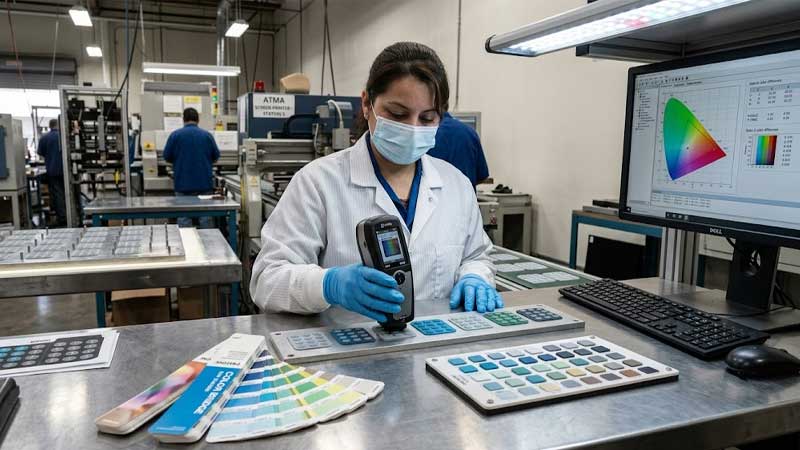
Pantone is commonly used as the standard reference for silicone keypad colors.
Customers usually provide:
- Pantone color number
- Physical sample
- Existing product reference
Manufacturers then adjust pigment ratios to create a matching ink formula.
However, the final appearance may vary slightly because silicone material and printing conditions influence color perception.
For this reason, physical samples are normally required for customer approval before mass production.
ΔE Color Difference Control
ΔE is a measurement used to evaluate the difference between a standard color sample and a production sample.
Manufacturers use spectrophotometers to measure Lab color values and calculate color differences.
Lower ΔE values indicate better color consistency.
Color control requires monitoring:
- Ink mixing accuracy
- Printing thickness
- Curing process
- Batch-to-batch variation
For appearance-sensitive products, manufacturers usually keep approved color samples as production references.
Color Control for Backlit Silicone Keypads
Backlit silicone keypads require additional optical control.
The final appearance depends on:
- Silicone transparency
- Coating thickness
- Laser opening design
- LED brightness
A symbol that looks correct under normal lighting may perform differently when illuminated.
Therefore, backlit products require both color inspection and light transmission testing.
Durability Testing of Silicone Keypad Printing
Silicone keypad printing must withstand repeated operation, environmental exposure, and daily handling.
Reliability testing verifies whether printed graphics maintain appearance and adhesion throughout the product lifetime.
Abrasion Resistance Testing
Abrasion testing evaluates whether printed characters can withstand repeated friction.
The test checks for:
- Ink wear
- Color fading
- Surface damage
For frequently used buttons, protective coatings can improve resistance against mechanical wear.
Chemical Resistance Testing
Silicone keypads may contact cleaning agents, oils, sweat, and other chemicals.
Chemical resistance tests evaluate whether the printed layer remains stable after exposure.
Common test substances include:
- Alcohol
- Cleaning chemicals
- Oils
A reliable printing system should maintain adhesion without peeling or discoloration.
Temperature and Humidity Testing
Silicone keypads used in automotive, industrial, and outdoor environments may experience temperature changes and humidity.
Environmental testing evaluates whether printing performance remains stable under:
- High temperature
- Low temperature
- Humidity cycles
The printed layer should remain flexible without cracking or separation.
Key Life Testing
Since silicone keypads are frequently pressed, printing durability must also be evaluated after repeated operation.
Key life testing verifies whether:
- Characters remain readable
- Ink remains attached
- Surface coatings maintain integrity
This is especially important for industrial and automotive products with long service requirements.
Silicone Keypad Printing Process and Quality Control
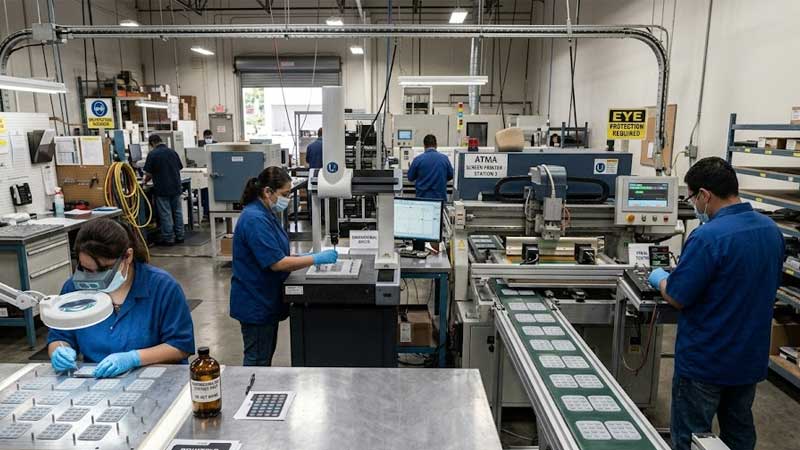
A reliable printing result requires control throughout the entire manufacturing process, not only during printing.
Manufacturing Process
The typical silicone keypad printing process includes:
- Silicone molding
- Surface cleaning
- Surface treatment if required
- Printing or laser etching
- Ink curing
- Protective coating application if needed
- Appearance inspection
- Functional testing
Because silicone parts are flexible, manufacturers use dedicated fixtures to maintain positioning accuracy during printing.
Quality Control Points
Key inspection items include:
- Character position accuracy
- Color consistency
- Ink adhesion
- Surface defects
- Button function
- Backlight performance
Common printing defects include:
Ink Peeling
Caused by poor surface preparation, unsuitable ink, or incomplete curing.
Solutions include improving cleaning, optimizing surface treatment, and adjusting curing conditions.
Printing Misalignment
Usually caused by fixture problems, silicone deformation, or inaccurate positioning.
Solutions include improving tooling design and printing accuracy.
Color Variation
May result from incorrect pigment mixing, different ink thickness, or curing differences.
Solutions include Pantone approval, color measurement, and standardized production control.
Silicone Keypad Printing Technology Comparison
| Technology | Main Advantages | Limitations | Suitable Applications |
| Screen Printing | Low cost, stable production, good color capability | Requires printing screens, limited for complex shapes | High-volume silicone keypads |
| Pad Printing | Excellent for curved surfaces | Lower efficiency for multiple colors | Irregular silicone buttons |
| UV Printing | Flexible graphics, fast curing | Requires strong adhesion control | Customized products and prototypes |
| Inkjet Printing | High design flexibility | More difficult for mass production | Small batches and customized designs |
| Laser Etching | Excellent durability and backlight performance | Limited color options, higher equipment cost | Automotive and industrial keypads |
How to Select the Right Silicone Keypad Printing Method
The correct printing technology depends on several factors.
Production Volume
For large quantities, screen printing usually provides the best cost efficiency.
For prototypes or small batches, UV printing and inkjet printing offer greater flexibility.
Surface Geometry
Flat silicone keypads are suitable for screen printing.
Curved or uneven surfaces often require pad printing.
Backlit structures usually benefit from laser etching.
Durability Requirements
Products exposed to frequent operation or harsh environments require stronger marking solutions.
Laser etching provides excellent durability, while printed graphics require optimized ink, curing, and protective coating systems.
Appearance Requirements
Screen printing and digital printing provide better color flexibility.
Laser etching provides superior durability and light transmission performance.
FAQ About Silicone Keypad Printing
Why does silicone need special ink?
Silicone has low surface energy, which makes ordinary ink difficult to bond. Silicone-compatible ink systems are required to achieve reliable adhesion.
Which printing method is most commonly used?
Screen printing is the most common method because it provides a good balance between cost, efficiency, and performance.
Is laser etching better than printing?
Laser etching offers better durability and is ideal for backlit applications. Printing provides better color flexibility and is more suitable for multi-color graphics.
How can printing durability be improved?
Durability can be improved through proper surface treatment, suitable silicone ink, controlled curing, and protective coatings.
How is color consistency controlled?
Manufacturers use Pantone matching, spectrophotometers, and ΔE measurement to maintain consistent colors.
Conclusion
Silicone keypad printing combines material science, ink technology, surface engineering, and manufacturing control.
Screen printing remains the preferred solution for most high-volume silicone keypad applications because of its reliability and cost efficiency. Pad printing provides better flexibility for curved surfaces, while UV and inkjet printing support customized designs. Laser etching delivers excellent durability and is widely used for backlit and high-performance keypads.
For OEM and ODM silicone keypad projects, choosing the right printing method requires evaluating product structure, appearance requirements, production volume, and operating environment. A professional silicone keypad manufacturer can optimize the complete process from material selection and surface treatment to printing, curing, and final inspection.