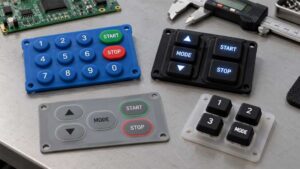
Silicone keypad hardness is not just a number on a datasheet. It decides whether your user whispers, “Hmm, this feels nice,” or slams the device down and says, “This button feels wrong.”
For engineers and procurement teams, “silicone keypad hardness” is the starting point of a real‑world usability decision. This article explains how Shore A actually shapes feel, force, and lifespan—so you can choose the right hardness once and avoid redesigns later.
The Button That Feels Wrong — And Why Hardness Is Usually the Culprit
You don’t need a lab report to know when a keypad is wrong. You feel it in your finger.
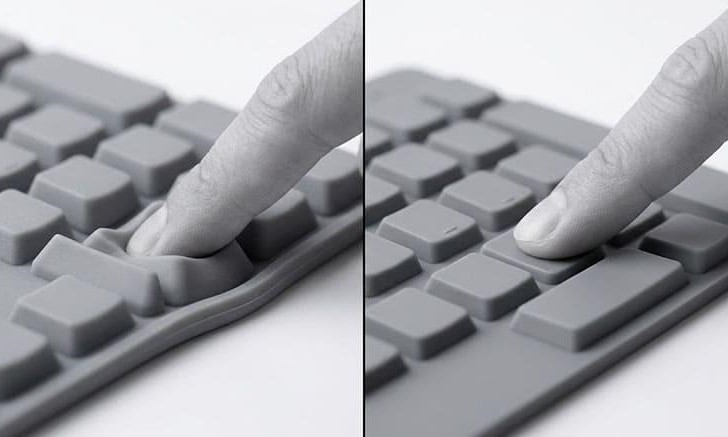
- Too soft (often below 40 Shore A): Every tap seems to “suck” into the silicone. Users say it feels “like pressing a bubble.” Accidental presses are common, and the feedback feels vague.
- Too hard (often above 70 Shore A): Operators press the same button hundreds of times per shift. By hour three, their fingers hurt. They complain that the product is “too stiff” or “uncomfortable to use all day.”
In both cases, the raw materials haven’t changed—but the hardness has ruined the experience. That’s why, when you search for “silicone keypad hardness,” the real question behind your query is
“How do I pick a Shore A that feels right, works reliably, and doesn’t cause complaints?”
What Is Shore A? The Only Hardness Scale You Need to Know
For silicone rubber keypads, Shore A is the standard hardness scale. Shore A 0–100 measures how resistant a soft material is to indentation.
- A lower number = softer, more compressible.
- A higher number = harder, more rigid.
You already understand Shore A intuitively from everyday objects:
| Everyday Object | Approx. Shore A |
|---|---|
| Rubber band | 25A |
| Pencil eraser | 40A |
| Car tire tread | 65A |
| Hard plastic wheel | 100A |
For silicone keypads, the usual working range is 40–70 Shore A. Within this window, 60 Shore A is the most common “standard” value in industrial and consumer electronics.
How Hardness Directly Affects Your Keypad’s Performance
Hardness is not a spec you fill in last. It is a design decision that cascades into everything.
Here is how it behaves in practice.
Tactile Feel: The Emotion Behind Every Press
This is what users actually experience.
A lower Shore A keypad (40–50) feels soft and cushioned. Press it, and the finger sinks in gradually before the switch closes. It feels gentle. Forgiving. Quiet.
A higher Shore A keypad (60–70) has a crisper, more defined actuation point. You feel the snap. You know you’ve pressed it. There is no ambiguity.
Neither is better by default. The right choice depends entirely on who is pressing, how often, and in what context.
A consumer remote control should feel effortless. An industrial control panel in a noisy factory should give the operator clear, unmistakable confirmation — even through a work glove.
Actuation Force: How Much Pressure It Takes to Trigger the Switch
Actuation force and hardness move together — but they are not the same thing.
Hardness is a material property. Actuation force is the result of hardness combined with wall thickness, web angle, and key geometry.
That said, hardness is the primary driver.
Typical actuation force by Shore A value
| Shore A | Typical Actuation Force | Feel Description |
|---|---|---|
| 40 | 80 – 120 gf | Very light, soft |
| 50 | 120 – 180 gf | Light to medium |
| 60 | 180 – 250 gf | Standard industrial |
| 70 | 250 – 350+ gf | Firm, anti-mispress |
These are typical values, not absolutes. For your specific design, key geometry matters too. But if a client tells me they need an actuation force of around 200 gf, my first recommendation is always 60 Shore A — and then we fine-tune from there.
Keypad Lifespan: Why Softer Often Outlasts Harder
Softer silicone (lower Shore A) is more elastic. It deforms and recovers more completely with each press cycle. Over millions of actuations, it retains its shape better.
Harder silicone compresses less per cycle — but it is also less forgiving of stress concentration. At very high hardness levels, especially above 70 Shore A, repeated flexing can accelerate micro-cracking around the key web.
General principle:
- Lower hardness: longer life, but higher risk of compression set (permanent deformation) under constant load
- Higher hardness: better abrasion resistance, shorter life under high-frequency flexing
The sweet spot for most applications? 50–60 Shore A, where flex resilience and durability converge.
Choosing the Right Hardness for Your Application
Every application has a user behind it.
That user has a context, a body, a level of fatigue, and an expectation of how pressing a button should feel. Hardness selection is ultimately about serving that person — not just satisfying a spec sheet.
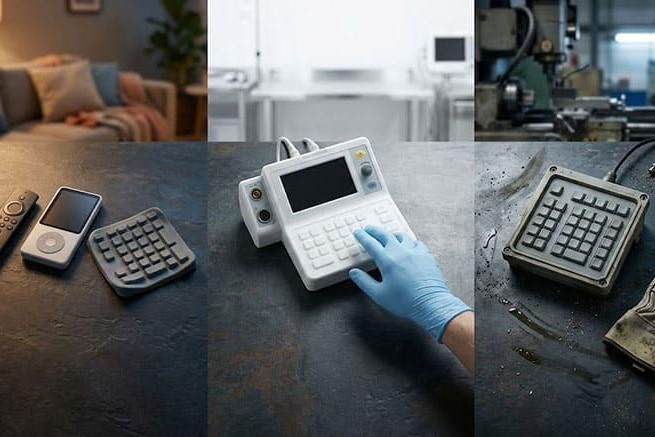
Consumer Electronics & Remote Controls (40–55 Shore A)
Home users tap remotes, TV panels, and smart devices hundreds of times without realizing it.
- Target: 40–55 Shore A
- Why:
- Soft touch reduces finger fatigue.
- Too high hardness makes the product feel “cheap” or “industrial,” even if the design is sleek.
If your users are holding the device for long periods (e.g., streaming remotes or game controllers), leaning toward 45–50 Shore A with a well-designed dome structure is usually the safest choice.
Medical Devices (40–55 Shore A)
Healthcare workers operate medical panels, infusion pumps, and monitoring devices for hours.
- Target: 40–55 Shore A
- Why:
- Softness reduces finger soreness during repeated operations.
- Softer materials seal better against irregular surface contact — important for medical-grade IP (ingress protection) rated enclosures.
In this scenario, “silicone keypad hardness” isn’t just a mechanical parameter—it’s a comfort and safety question.
Industrial & Marine Controls (60–70 Shore A)
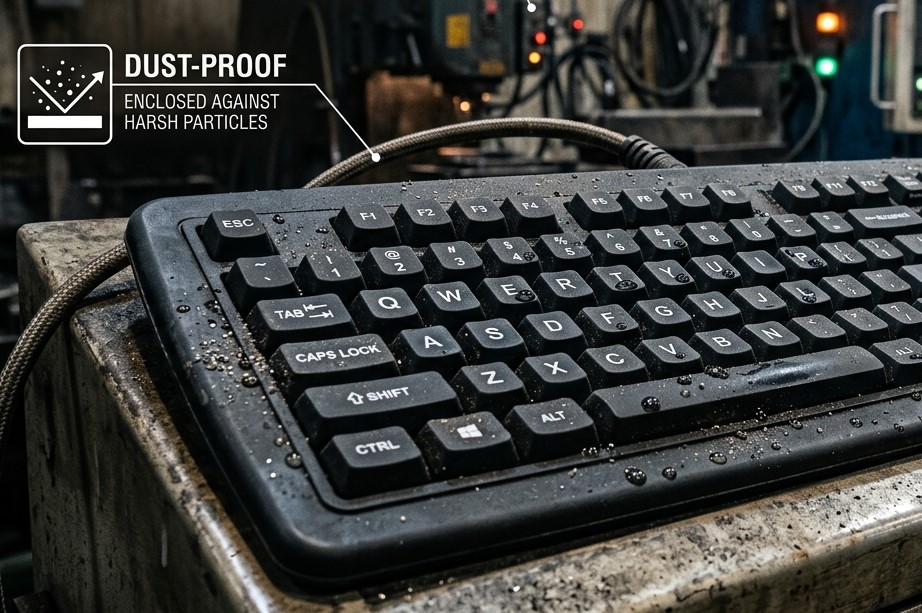
Factories, ships, and outdoor equipment face gloves, oil, dust, and sunlight.
- Target: 60–70 Shore A
- Why:
- High hardness improves wear resistance and anti‑accidental touch.
- The button must “feel present” even when the operator is distracted.
For these environments, hardness is part of reliability engineering, not just tactile design.
Not Sure? Start With 60 Shore A
If you’re unsure where to begin, 60 Shore A is the safest default.
- Widely used in industrial, automotive, and many consumer‑grade panels.
- Offers a balance between:
- Clear tactile feedback
- Acceptable force range
- Good durability under normal conditions
At Ruixiang, we often start customer projects at 60 Shore A and then slightly adjust up or down based on target force, finger‑fatigue feedback, and environmental stress.
When One Hardness Isn’t Enough: Dual Durometer Keypads
Standard keypads have a consistent hardness throughout. But what if you need the key top to feel firm, precise and durable like plastic, while the underlying web and base remain soft and elastic to ensure long-lasting performance? That is what dual durometer construction solves.
How it works:
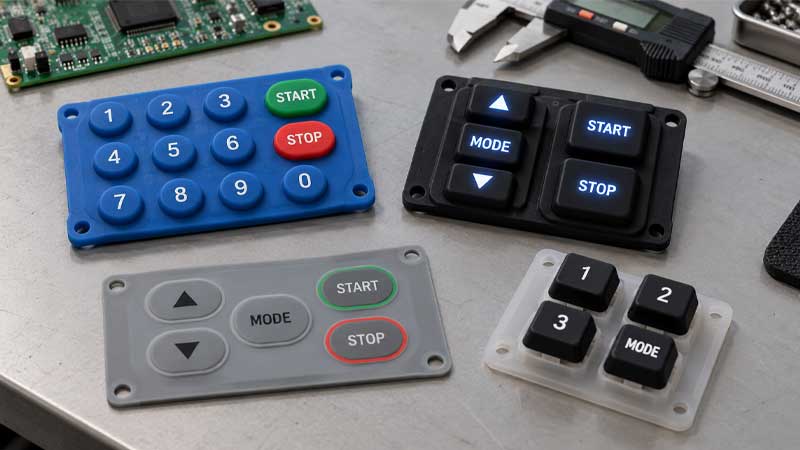
- The keycap (top surface) uses a higher Shore A material, typically 65–70A, giving users a crisp, near-rigid press surface.
- The base and web use a lower Shore A material, generally 40–50A, ensuring elastic recovery and extended cycle life.
The result: a keypad that feels premium, lasts longer, and requires less force than a uniformly hard keypad.
This construction is well-suited for:
- High-end consumer devices where surface feel matters
- Automotive HMIs where hard-top keys are specified alongside a soft keypad base
- Medical devices balancing tactile clarity with long-shift operator comfort
At SKF, we blend base silicone materials to achieve target hardness values with a tolerance of ±5 Shore A, verified on every production batch.
How SKF Tests and Guarantees Silicone Keypad Hardness
- Shore A Durometer Testing
Every production batch is tested using a calibrated Shore A durometer. Results are recorded on the material test report that ships with your order. - Actuation Force Curve Testing
We measure the full force-displacement curve for sampled keys. This confirms that the physical press behavior matches your design specification — not just the material hardness number. - Life Cycle Testing
Our standard is 1,000,000 actuations per key position. Keys are checked at intervals for compression set, surface integrity, and contact resistance stability. - Environmental Testing
For specified applications, we test thermal cycling (–40°C to +150°C), UV exposure, humidity, and chemical resistance. Every report is available for client review before mass production release.
FAQ
Does hardness affect backlit performance?
Indirectly, yes. Softer, translucent silicone transmits light slightly more evenly due to lower material density. For backlit keypads, we typically keep hardness at 60A or below and use unpigmented or lightly tinted base material to preserve light transmission.
Is there a hardness calculator for silicone keypads?
There is no single universal calculator. Hardness selection depends on actuation force, key geometry, and use scenario.
Why does my silicone keypad feel too stiff or too soft after production?
This usually means that the Shore A value was not matched to the key geometry and intended actuation force. Hardness alone does not determine feel. The wall thickness and web angle must be designed together.
How does temperature affect the Shore A hardness of a silicone keypad in actual use?
Our silicone keypads enable us to withstand temperatures ranging from -50°C (-58°F) to +250°C (+482°F). At extreme cold temperatures (like around less than -40°C/less than -40°F), silicone gets a little bit hard, whereas at high heat (about more than +150°C/+302°F), silicone becomes slightly soft. But we test silicone keypads under a wide spectrum of temperatures with reliable performance.
Will harder silicone keypads enhance the protection level for user interfaces in devices?
No. A proper hardness of silicone keypads offers better seal from environmental factors.
Need a Silicone Keypad That Feels Right—Start With Shore A
Silicone keypad hardness is not a boring lab value. It is the language of comfort, control, and reliability between your product and the user’s hand.
- If your buttons are too soft or too hard, you’re not solving the wrong problem—you’re solving the wrong hardness.
- If you don’t know where to start, 40–70 Shore A is the practical range, and 60 Shore A is the safest starting point.
At SKF, we help engineers and procurement teams translate “silicone keypad hardness” from a keyword into a designed user experience with precise Shore A control, real‑world testing, and a clear path from concept to mass production.
If you share your target force (gf), application, and environment, we can propose the optimal Shore A range and structure for your next silicone keypad project.