Silicone Keypad Ergonomics Engineering

Human-Centered Engineering for Silicone Keypad Interfaces

A silicone keypad must work naturally within the way operators reach, identify, and activate controls. Ergonomic performance depends on more than the feel of individual keys. Key position, functional grouping, physical differentiation, operating conditions, and repeated interaction all influence how effectively users operate the equipment.
SKF provides silicone keypad ergonomics engineering to help OEM and ODM teams turn human interaction requirements into practical keypad interfaces. Our engineers evaluate the intended operating behavior, available space, user interaction conditions, and manufacturing constraints before developing the keypad structure.
The result is an interface designed around real operation while remaining suitable for silicone molding, finishing, assembly, and production validation.
Engineer hand presses keys on a dark gray Silicone Keypad mounted in a compact control panel during ergonomic evaluation on a workstation with layout sketches visible on a nearby monitor

Ergonomic Assessment Based on Real Operating Conditions

Ergonomic engineering starts with the operating situation rather than the keypad geometry alone. SKF reviews how the interface will be used and identifies the physical factors that may influence operation.

Understanding User Interaction

The first consideration is how operators interact with the equipment during normal use. SKF reviews whether controls are operated primarily with fingers, thumbs, one hand, or both hands. We also consider the sequence of common operations and how frequently different controls are used. Frequently operated keys may require easier access and clearer differentiation, while secondary functions can be positioned outside the primary operating area. This approach helps prevent unnecessary hand movement and makes the functional relationship between controls easier to understand.

Evaluating Key Identification

Operators do not always interact with every key by looking directly at it. In many interfaces, users need to identify controls through a combination of visual and physical cues. SKF evaluates key position, functional grouping, key separation, key height and profile, surface texture, raised or recessed features, legend placement, and overall visual differentiation during ergonomic development. These elements are carefully combined to create intuitive control interfaces, allowing users to locate important functions more easily without requiring every key to share the same geometry or appearance.

Considering Repeated Interaction

Operating frequency can significantly influence ergonomic requirements. Interfaces used occasionally have different requirements from controls operated hundreds or thousands of times during a working cycle. SKF considers repeated operating sequences, finger movement, key location, physical feedback, and interaction consistency when reviewing these applications. The objective is not simply to reduce the force required for every key. The complete interaction needs to remain predictable and appropriate for the intended operating pattern.

Reviewing Available Operating Space

Ergonomic requirements must fit within the actual product enclosure. Compact equipment often requires careful coordination between key dimensions, spacing, housing geometry, display areas, mounting structures, and internal components. SKF evaluates the available interface area before recommending changes to key positioning or physical differentiation. This helps maintain practical user interaction without creating unnecessary packaging or tooling problems.

Translating Human Interaction into Interface Design
After the operating requirements are established, SKF translates them into the physical organization of the keypad.
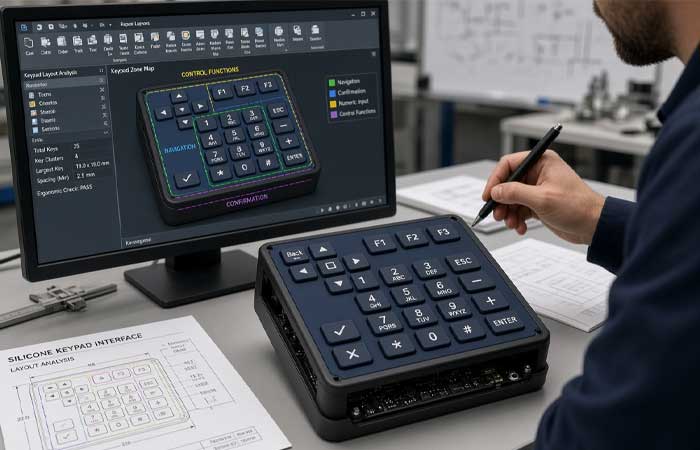
Engineer reviews a dark silicone keypad integrated into a compact control panel on a workstation while examining a CAD model of its functional zones on a nearby monitor

Functional Key Grouping

The arrangement of controls should reflect how the equipment is operated.
Related functions can be grouped together, while frequently used controls can be positioned within convenient reach. Different functional areas can also use physical or visual differentiation to help users understand the interface more quickly.
SKF reviews the complete keypad layout instead of optimizing individual keys independently. This is particularly important for interfaces containing navigation, confirmation, numeric entry, mode selection, and frequently repeated controls.

Finger and Thumb Reach

Different operating methods require different interface layouts.
Thumb-operated handheld equipment may need compact key groupings that follow natural thumb movement. Finger-operated control panels may allow larger keys and wider spacing.
SKF considers the expected reach pattern when evaluating key positions. The goal is to create an operating path that follows the intended hand movement rather than forcing repeated repositioning.
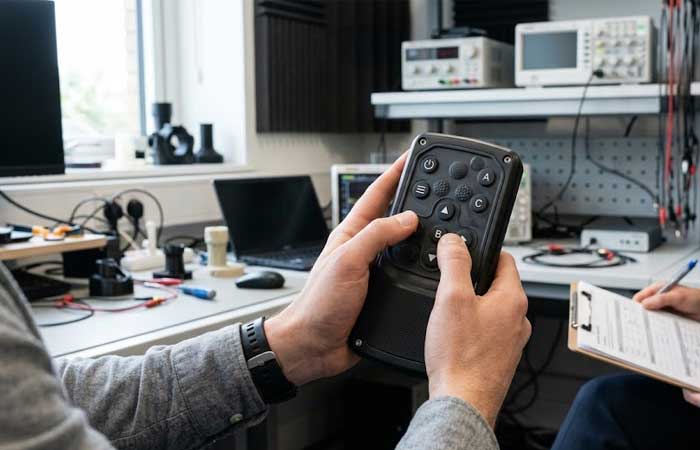
An engineer evaluates user interaction with a handheld prototype featuring an integrated silicone keypad in a laboratory
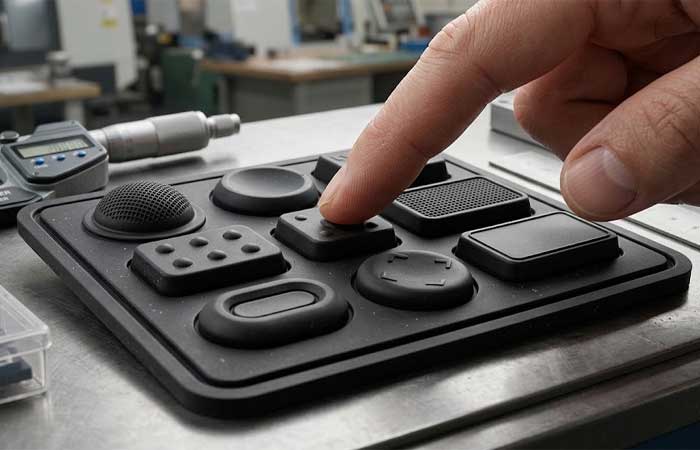
A hand touches custom keytop profiles on a black silicone keypad during tactile differentiation testing on an inspection bench

Physical Key Differentiation

Physical differences can provide useful orientation when several controls have similar functions or when visual attention is limited.
Depending on the requirements, SKF can develop differences in:
  • Keytop profile
  • Key height
  • Surface texture
  • Edge geometry
  • Recessed or raised areas
  • Key spacing
These features can provide tactile landmarks while remaining integrated into the silicone keypad structure.

Visual and Physical Coordination

Ergonomic interfaces often rely on both visual and physical identification.
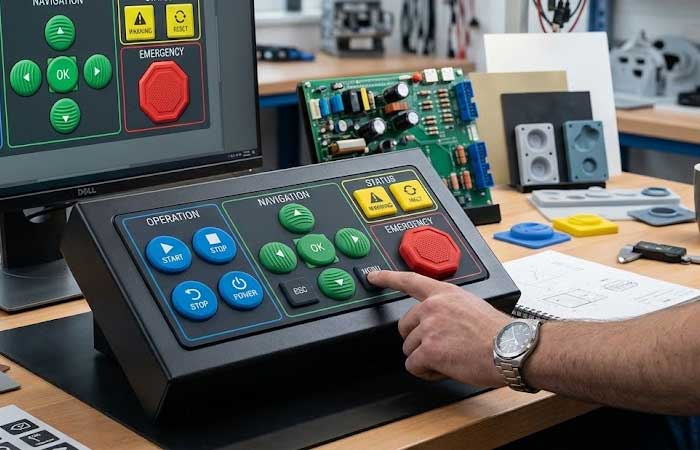
Legend position, key shape, surface treatment, color differentiation, and tactile characteristics should support the same functional hierarchy. SKF coordinates these elements during development rather than treating graphics and physical geometry as unrelated design decisions.
This approach can be particularly useful when operators need to identify controls quickly or switch between visual and tactile interaction.
An engineer tests a color coded control panel featuring a custom silicone keypad while reviewing matching UI designs in a workshop

Engineering the Keypad for Different Operating Conditions

Ergonomic requirements change according to how and where the equipment is operated. SKF adapts the interface design according to the actual operating conditions rather than applying one standard keypad layout to every project.

Glove Operation

Gloves can reduce tactile sensitivity and increase the effective contact area between the finger and key surface. For glove-operated equipment, SKF may evaluate larger operating surfaces, greater key separation, stronger physical differentiation, and suitable tactile characteristics. The objective is to help operators locate and activate controls without requiring excessive visual attention.

Repetitive Operation

Repeated key activation requires consistent interaction throughout the operating cycle. SKF evaluates the location of frequently used controls, movement between adjacent keys, physical feedback, and the relationship between primary and secondary functions. This helps create interfaces where repeated operations follow a logical movement pattern rather than requiring unnecessary hand repositioning.

Compact Interfaces

Reducing keypad size can create conflicts between packaging efficiency and usability. Very close key spacing may save enclosure space but can make individual controls harder to distinguish. Larger key surfaces may improve interaction but require additional interface area. SKF evaluates these trade-offs during design review to find a practical balance between compact packaging and reliable operation.

Limited-Visibility Operation

Some equipment is operated in conditions where users cannot continuously look at the keypad. In these situations, physical landmarks become more important. Raised profiles, distinctive key shapes, surface textures, and differentiated control groups can help users identify functions through touch. SKF considers these requirements during interface development so tactile identification becomes part of the keypad structure rather than an afterthought.

One-Hand Operation

Handheld products often rely heavily on thumb operation. SKF evaluates thumb reach, key distribution, operating sequence, and enclosure limitations when developing one-hand interfaces. Key functions can be arranged according to their frequency and importance to reduce awkward movement.

From Ergonomic Requirements to Silicone Keypad Engineering

Human interaction requirements eventually need to become physical silicone structures. This is where ergonomic considerations must be balanced with material behavior, tooling, and manufacturing requirements.

Key Geometry

Keytop geometry affects both physical contact and visual recognition. SKF can evaluate the relationship between key profile, height, surface shape, surrounding clearance, and the supporting web structure. Geometry is reviewed as a complete system because changing the keytop can influence the mechanical response of the surrounding structure. The objective is to create a key shape that supports the intended interaction while remaining manufacturable.

Tactile Interaction

Tactile feedback gives operators physical confirmation that an input has occurred. SKF considers tactile response together with the operating role of the key, frequency of use, and interface hierarchy. Different control functions may require different interaction characteristics rather than identical tactile behavior across the entire keypad. Detailed mechanical parameters can be evaluated during engineering development when required, but the final specification is always connected to the intended user interaction.

Surface Engineering

Surface characteristics can influence both tactile identification and long-term usability. Depending on the project, SKF can integrate suitable surface textures, coatings, printed legends, laser-marked graphics, or other identification features into the keypad development process. The selected surface treatment must also be compatible with the silicone material, expected usage, cleaning requirements, and production process.

Structural Integration

Ergonomic features cannot be considered separately from the keypad structure. Key spacing, web geometry, support structures, conductive contact positions, and overall keypad thickness all influence the final interaction. SKF reviews these relationships during engineering development to avoid creating ergonomic improvements that negatively affect mechanical reliability or production stability.

Design for Manufacturing Starts During Ergonomic Development

Ergonomic improvements must remain compatible with real silicone manufacturing processes.
SKF therefore includes manufacturing considerations while the interface is still being developed.

Mold and Tooling Considerations

Changes in key spacing, height, profile, texture, or surrounding geometry can affect mold construction. SKF reviews the proposed ergonomic features against mold separation, cavity structure, draft requirements, tooling access, and production feasibility before finalizing the design.

Silicone Material and Structure

Material selection can influence the interaction characteristics of the finished keypad. Hardness, elasticity, structural thickness, and geometry work together to determine how the keypad behaves during operation. SKF considers these relationships during development instead of selecting the material independently from the ergonomic requirements.

Finishing and Identification Processes

Printed legends, laser marking, surface textures, coatings, and other identification features must be evaluated together with the keypad structure. The selected process needs to provide the required visual or tactile differentiation while remaining suitable for production volume and expected operating conditions.

Assembly Compatibility

The keypad must also integrate with the final product. SKF considers PCB contact areas, mounting features, enclosure interfaces, protective structures, and assembly requirements when developing ergonomic features. This helps ensure that the final interface remains functional after the keypad is integrated into the equipment.

Ergonomic Validation Before Mass Production

Ergonomic requirements should be validated before production tooling is locked into its final configuration.
SKF uses engineering review and prototype evaluation to identify potential interaction issues at an early stage.

Interface Review

The proposed layout is reviewed against the intended operating sequence, user reach, functional grouping, and key identification requirements.

Prototype Evaluation

Prototype or sample keypads allow the physical interaction to be evaluated before committing to final production conditions. Engineers can review the physical differentiation between controls, operating sequence, tactile response, and overall interaction with the equipment enclosure.

Engineering Verification

Ergonomic performance must remain compatible with the mechanical and manufacturing requirements of the keypad. SKF verifies the relationship between interface requirements, keypad geometry, material selection, tooling structure, finishing processes, and assembly conditions.

Production Validation

After production tooling is completed, the final keypad is checked to ensure that the defined ergonomic characteristics remain consistent with the approved design. This approach reduces the risk of discovering usability or interaction problems only after mass production has started.

SKF Silicone Keypad Ergonomics Engineering Capabilities

SKF supports ergonomic development from early interface concepts through production validation.
Engineering AreaSKF Support
User interactionReview of hand, finger, and thumb operation
Interface layoutFunctional grouping, key positioning, and operating sequence
Key identificationPhysical, tactile, and visual differentiation
Operating conditionsGlove use, limited visibility, repetitive operation, compact interfaces
Key geometryKeytop profile, height, spacing, and surface structure
Tactile interactionDevelopment of application-specific physical feedback
ManufacturingDFM, tooling, material, finishing, and assembly review
ValidationPrototype evaluation and production verification
Our engineering team works from customer drawings, CAD models, prototype concepts, operating requirements, and product constraints. Ergonomic requirements are evaluated together with the technical requirements of the silicone keypad rather than treated as a separate design stage.

Why Integrate Ergonomics into Silicone Keypad Development?
Ergonomics is most effective when considered before the keypad structure and tooling have been finalized.
Early engineering review can identify problems such as difficult key identification, inefficient key grouping, excessive hand movement, insufficient physical differentiation, or conflicts between interface requirements and enclosure limitations.
By integrating ergonomic assessment with keypad engineering, SKF can help customers make these decisions before they become expensive tooling or production changes.
The result is a silicone keypad interface that is designed around real operating behavior while maintaining the structural and manufacturing requirements of the finished product.
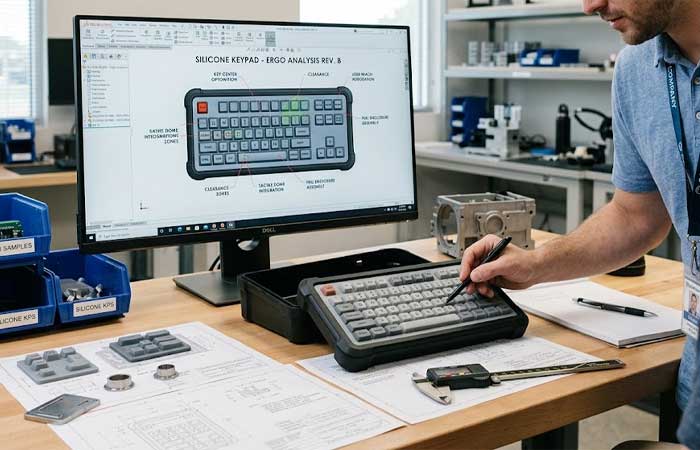
Engineers compare a silicone keypad prototype against a CAD design layout on a monitor at an engineering workstation

Develop Silicone Keypad Interfaces Around Real Users

A keypad is part of the user’s physical interaction with the equipment. Its effectiveness depends on how naturally operators can reach, identify, and activate controls under actual working conditions. SKF combines silicone keypad engineering, molding expertise, structural development, and ergonomic assessment to help OEM and ODM customers develop interfaces around real human interaction. Send your keypad drawings, CAD files, operating conditions, or interface requirements to SKF. Our engineers can review the proposed interface and identify ergonomic and manufacturing considerations before tooling and production.

Ask for a quote

Fill out the form below, and we will be in touch shortly.

询盘表单